
IRS Notices
IRS CP523 Notice: What It Means When Your Installment Agreement Defaults (2026)
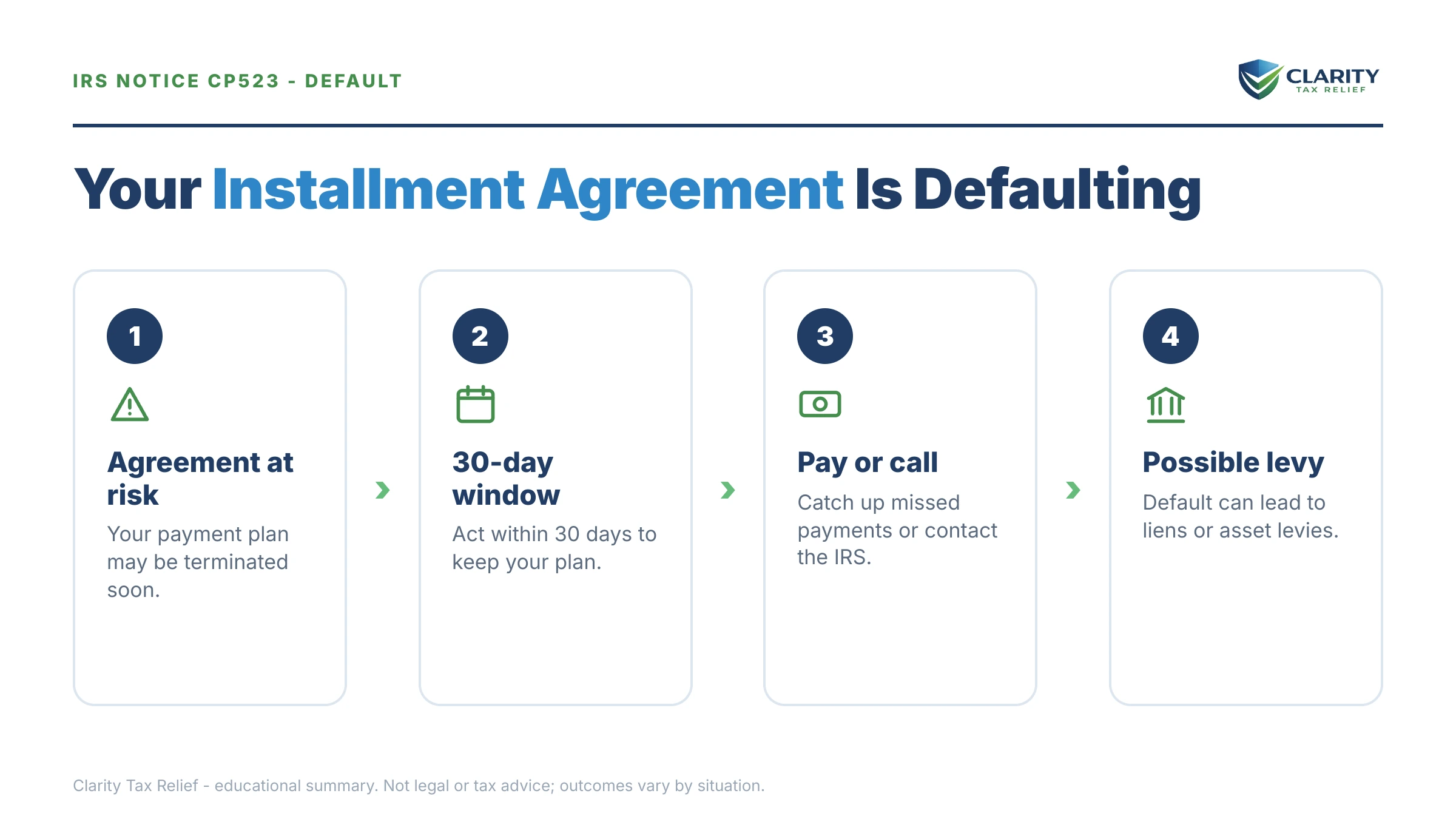
The short answer: a CP523 notice means the IRS intends to terminate your installment agreement because you defaulted, usually a missed payment, a new unpaid tax balance, or an unfiled return. You typically have 30 days from the notice date to cure the default before the plan ends and the IRS can resume levies.
You've been holding up your end for months — the payments went out, the routine reminders came in — and now the IRS says the deal is off. One skipped payment, or a balance on this year's return you didn't see coming, and the agreement protecting you from collections is about to be cancelled. Here's the good news: a CP523 is a warning, not the termination itself, and the default is almost always curable if you move before the date on the notice.
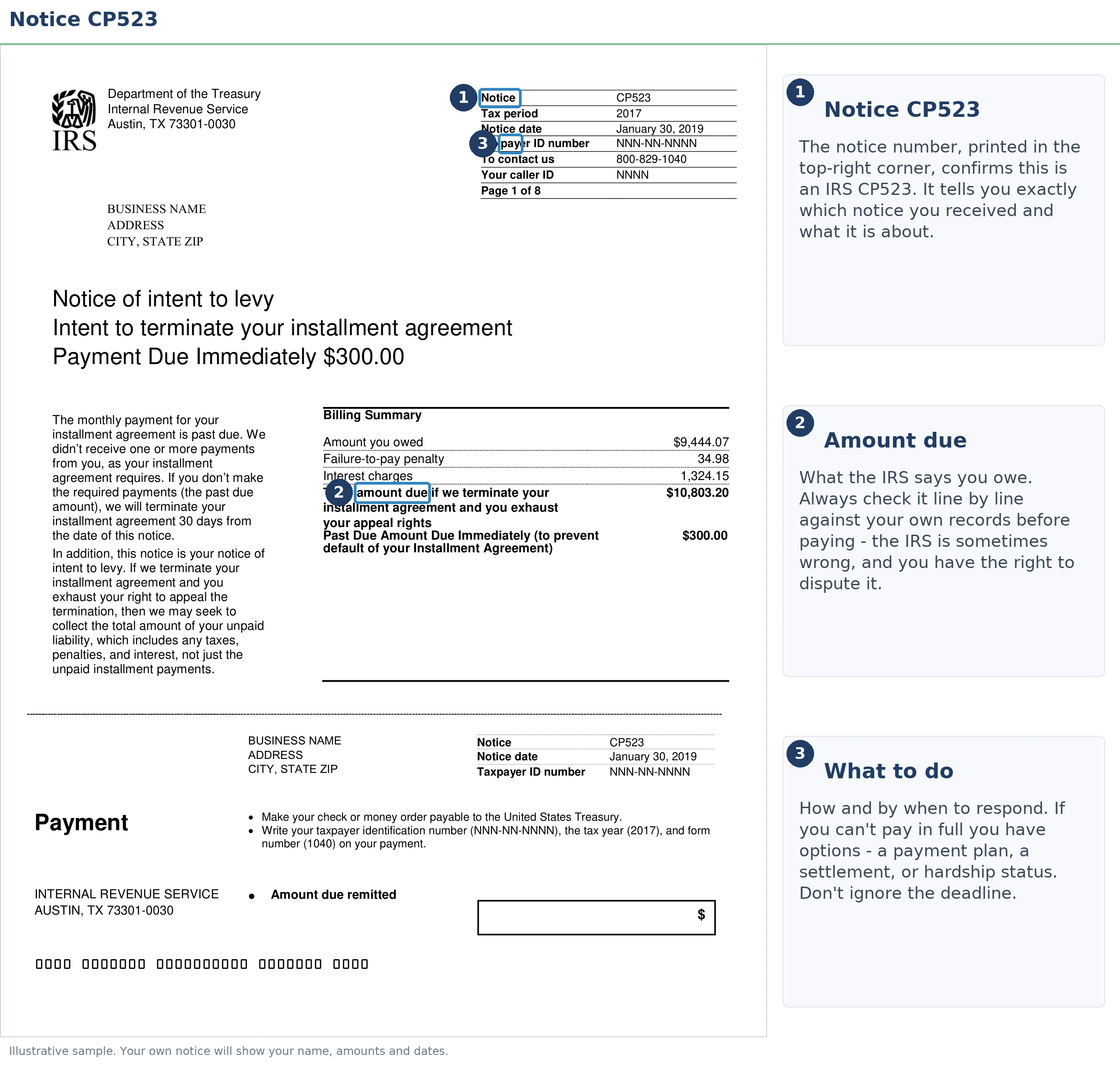
Everything hinges on two dates printed near the top of the letter — the notice date and the date the IRS intends to terminate your agreement. The image below shows exactly what a CP523 looks like and where to find them.
⏱ Your deadline: the termination date printed on your CP523, typically 30 days after the notice date. Cure the default before that date and your agreement continues untouched. Let it pass and the plan terminates, the full balance becomes collectible at once, and your monthly failure-to-pay penalty rate doubles.
Why you got a CP523
A CP523 is triggered by a default on an existing IRS installment agreement. It never arrives out of nowhere. The IRS's computer flagged one of five specific breaches of your plan's terms, and the notice itself names which one. If you're not even sure which letters mean what, our decoder on why did I get a letter from the IRS covers the whole system. This page covers only the CP523.
What surprises most people: two of the five default triggers have nothing to do with your monthly payment. Every installment agreement carries a condition that you stay current on filing and paying new taxes while the plan runs. A W-2 employee whose withholding came up short this April can default a plan they never missed a payment on.
| Default trigger | What happened | The fix |
|---|---|---|
| Missed or late payment | A monthly payment didn't arrive by its due date — see our guide to a missed IRS payment plan payment | Make up the payment(s) before the termination date |
| New balance due | Your latest return showed tax owed that wasn't paid | Pay the new year, or ask the IRS to add it to the plan |
| Unfiled required return | A return came due during the plan and wasn't filed | File it immediately, then confirm the plan continues |
| Failed direct debit | The bank draft bounced — closed account, insufficient funds | Update banking info and replace the failed payment |
| Missing financial update | You didn't return requested financials (common on partial-pay plans) | Submit the financial statement the IRS asked for |
Don't confuse this letter with its calmer sibling. A CP521 notice is the routine monthly payment reminder every plan generates. A CP523 replaces it when the IRS believes you broke the deal.
“If you received a CP523, CP523 (SP) or CP623 notice, the IRS is informing you of the intent to terminate your installment agreement and seize (levy) your assets. You have defaulted on your agreement.”
— Understanding your CP523 notice (IRS.gov)
The two dates on your CP523, and the rights each one controls
A CP523 typically gives you 30 days from the notice date before the IRS terminates your installment agreement. Each stage after that date closes a door, so it pays to know exactly what you can still do at each point.
| Stage | When | What you can still do |
|---|---|---|
| Notice date → termination date | Typically a 30-day window (printed on your notice) | Cure the default and keep the original agreement — no fee, no new approval needed |
| Before termination takes effect | Within the window on your notice | Appeal the proposed termination through CAP appeals (Form 9423); levies generally pause while it's pending |
| Just after termination | Generally a short window (about 30 days) after the plan ends | Appeal the termination itself, or request reinstatement (fee applies, reduced for low-income taxpayers) |
| Back in active collections | After termination and any appeal window | Negotiate a new plan, hardship status, or an offer, but now with levy exposure on the full balance |
What default does to the balance
Termination does not reset the tax debt, it removes the protection around it. The balance is unchanged. What disappears is the agreement that was keeping collection off it. The reduced penalty rate that came with the plan. Reinstating is usually cheaper and faster than negotiating a new one, which is why the date on this notice is worth treating as the deadline it is.
What happens if you ignore a CP523 notice
Ignoring a CP523 converts a fixable paperwork problem into full IRS collections on your entire remaining balance. The sequence is automated and runs whether or not a human ever reviews your file — a real concern in 2026, when IRS staffing is down sharply but the collection computers never stopped:
- The termination date passes. Your installment agreement ends. The full remaining balance is due at once, not the monthly amount, all of it.
- Your penalty rate doubles. While an installment agreement is in effect, the failure-to-pay penalty runs at a reduced 0.25% per month. Termination puts it back to the standard 0.5% per month, on top of daily-compounding interest.
- The account returns to active collections. If you already received a final notice of intent to levy (an LT11 notice or Letter 1058) before your plan was set up, many people did, the IRS doesn't have to send another one before levying. If you never got one, it comes next with a 30-day clock.
- Levies resume. A bank levy freezes funds with a 21-day hold before the money leaves. A wage levy is continuous, hitting every paycheck until released. Lien filing also becomes far more likely once the plan fails.
- Larger balances lose extra protections. An installment agreement in good standing blocks passport certification for seriously delinquent debt ($66,000+ in 2026). Termination removes that shield.
Holding a CP523 with the termination date approaching?
Send us a photo of it. An experienced tax professional will confirm why the IRS says you defaulted and map the fastest way to keep your agreement alive — free, confidential, before the date on your notice passes.
Your options after a CP523
Every CP523 default can be cured, appealed, or replaced with a different arrangement — the notice just doesn't advertise most of them. Which route fits depends on why you defaulted and what you can actually pay now:
- Cure the default before the termination date. The cleanest outcome: make up the missed payments, file the missing return, or pay the new balance. The original agreement continues with no fee and no renegotiation.
- Reinstate after termination. If the date passes, you can still ask the IRS to reinstate your IRS payment plan. A reinstatement fee applies (reduced for low-income taxpayers), and a repeat default may trigger a financial review.
- Restructure the payment. If the old amount was never realistic, ask to lower your IRS monthly payment instead of resuming a plan you'll default on again. Switching to direct debit also removes the most common default trigger — the forgotten mailed check.
- Fold in a new balance. If this year's return created the default, the IRS can often add the new year to the existing plan rather than terminate it. But you have to ask before the termination date, not after.
- Move to a partial-pay or hardship footing. If your finances genuinely can't support full repayment, a partial-pay installment agreement or Currently Not Collectible status may fit better than reinstating the old terms. Both require financial disclosure, usually on Form 433-F.
- Appeal through CAP. If the default is simply wrong — your payment posted late, the "unfiled" return was filed — Form 9423 challenges the termination before it takes effect. The IRS generally holds levy action while it's pending. CAP decisions are final, so use it for genuine disputes, not delay.
The math of a default: say you owe $13,600
Say you're a single W-2 employee with $13,600 left on a streamlined installment agreement, paying $200 a month. Money got tight, two payments slipped, and a CP523 arrived. Here's the hypothetical arithmetic on each path:
- Cure before the termination date: $400 in missed payments (plus the interest that accrued on them) and the plan continues. Your failure-to-pay penalty stays at the reduced 0.25% rate — roughly $34 a month on a $13,600 balance.
- Let it terminate: the entire $13,600 becomes collectible at once. The penalty rate doubles to 0.5% — roughly $68 a month — interest keeps compounding daily, a reinstatement fee gets added if you restart the plan. Your paycheck and bank account are exposed until a new arrangement is approved.
In other words, the difference between acting this week and acting in two months is a $400 catch-up versus a doubled penalty rate, a possible lien, and levy exposure on the full balance. You can estimate what continued accrual would cost on your own numbers with our IRS Penalty & Interest Calculator.
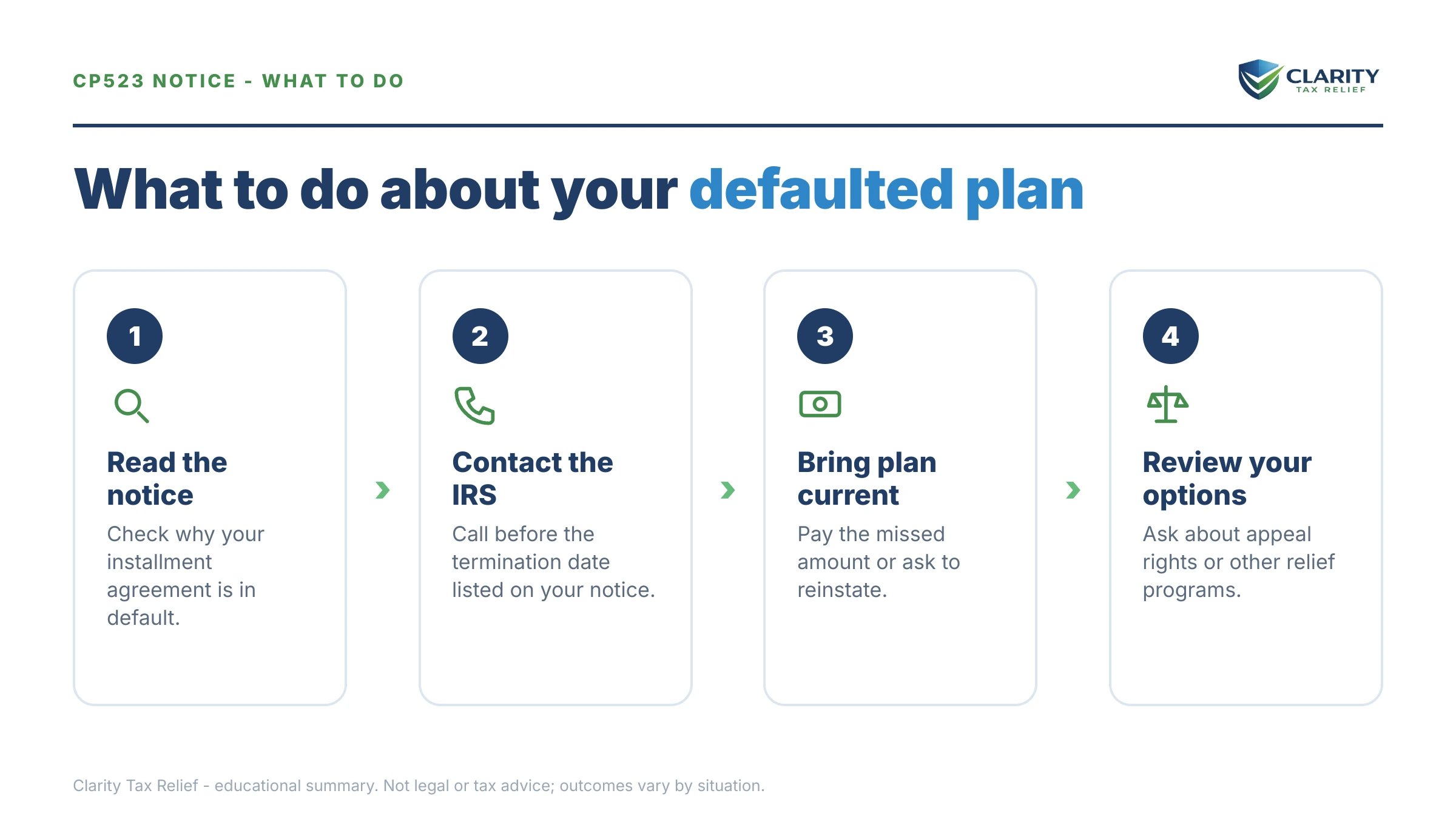
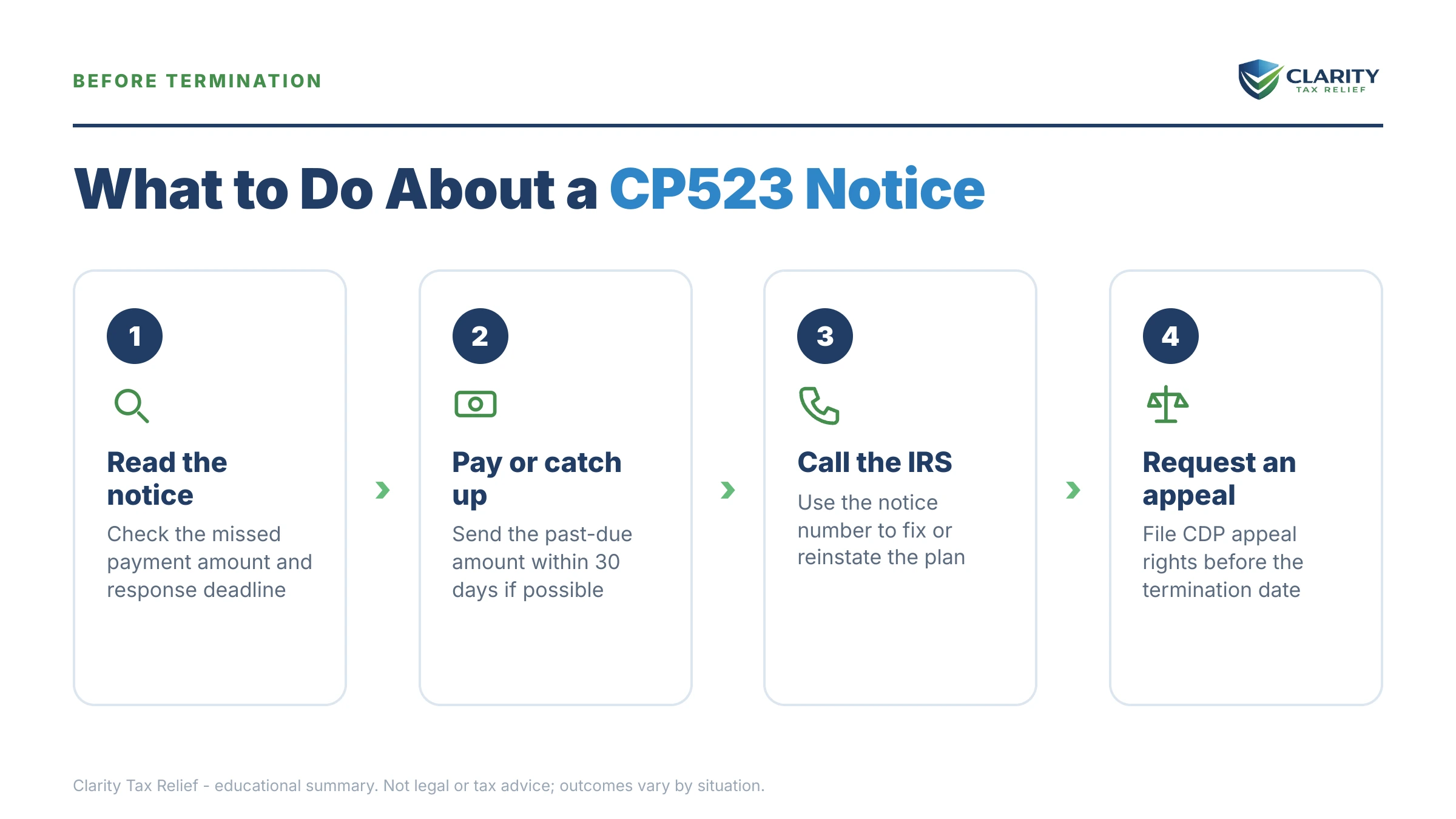
How to respond to a CP523, step by step
- Find the termination date. Look at the top of your CP523 for the notice date and the date the IRS intends to terminate your agreement — typically 30 days later. That date controls everything else.
- Identify why you defaulted. The notice states the reason — missed payment, new balance, unfiled return, or failed direct debit. The cure is different for each, so confirm which one applies before you call.
- Cure the default before the termination date. Make up the missed payment, file the overdue return, or call the number on the notice to fold a new balance into the plan. Curing in time keeps the original agreement alive.
- Request reinstatement or new terms if you can't resume the old payment. Ask the IRS to reinstate the plan or restructure it with a payment you can actually sustain — a lower amount, a direct-debit switch, or a partial-pay arrangement backed by your financials.
- Appeal through CAP if the default is wrong. File Form 9423 under the Collection Appeals Program before termination, or promptly after — to challenge the default. The IRS generally pauses levy action while the appeal is pending.
- Get a professional review if this is a repeat default. If you've defaulted before, owe new tax every year, or have unfiled returns, have an experienced tax professional map the fix — the order you repair things changes what you pay.
The IRS's own explanation of this notice is at Understanding your CP523 notice, and current plan terms and online tools are on the IRS payment plans page.
When you can handle this yourself
Most single-trigger CP523 defaults can be fixed with one phone call — no professional needed. If you simply missed a payment and can make it up, if the "unfiled return" just needs to be e-filed today, or if you can pay this year's new balance outright, call the number on the notice, cure the default, and confirm in writing that the agreement continues. That's the whole fix.
Experienced help changes the outcome in a narrower set of situations: this is your second or third default (the IRS gets skeptical, and financial disclosure gets scrutinized). A new balance appears every April because your withholding or estimates are structurally wrong. The balance has grown past the streamlined thresholds and the IRS wants a full financial statement. A levy is already in motion. Or the default itself is an IRS error you need to prove through a CAP appeal. In those cases the difference between a well-built Form 433-F and a rushed one is the difference between a payment you can live with and another default next year. If your whole plan has already collapsed, start with our guide to what happens when an IRS payment plan defaulted.
Terms on your CP523, decoded
- Default: any breach of your plan's terms — a missed payment, a new unpaid balance, or an unfiled return — not just skipped checks.
- Terminate: the agreement ends entirely; the full remaining balance becomes due at once, not month by month.
- Intent to levy: the IRS's statement that it plans to seize wages, bank funds, or other property once the agreement is gone and any required final notice has run.
- CAP (Collection Appeals Program): the fast-track appeal (Form 9423) for installment-agreement terminations; quick, but its decisions can't be taken to Tax Court.
- Reinstatement: restarting a terminated agreement, usually with a fee (reduced for low-income taxpayers) and sometimes a fresh financial review.
- CSED: the collection statute expiration date — the IRS generally has 10 years from assessment to collect. A default doesn't add time by itself.
CP523 questions, answered
What is an IRS CP523 notice?
A CP523 notice means the IRS intends to terminate your installment agreement because you defaulted, usually a missed payment, a new unpaid tax balance, or an unfiled return. You typically have 30 days from the notice date to cure the default before the plan ends and the IRS can resume levies.
Can I stop the IRS from terminating my installment agreement after a CP523?
Yes, if you cure the default before the termination date printed on the notice, the agreement continues as if nothing happened. That usually means making up the missed payment, filing the overdue return, or calling the number on the notice to add a new balance to the plan. If the date has already passed, you can still request reinstatement, but you may pay a fee and face a fresh review.
Will the IRS levy my bank account right after a CP523?
Not immediately. The agreement must actually terminate first, typically 30 days after the notice date. The IRS generally won't levy while a timely Collection Appeals Program appeal is pending. Once termination is final, though, levies are back on the table: a bank levy freezes funds for 21 days before the money leaves. A wage levy continues every paycheck until released.
Why did I get a CP523 if I never missed a payment?
Two defaults have nothing to do with your monthly payment: owing new tax on this year's return and failing to file a required return. Every installment agreement requires you to stay current on filing and paying while the plan runs. A failed direct debit — a changed bank account or insufficient funds on the withdrawal date — also counts as a missed payment even though you never skipped one on purpose.
What is the difference between a CP521 and a CP523?
A CP521 is the routine monthly reminder that a payment is due on your installment agreement — it's normal mail, not a warning. A CP523 means the IRS says you defaulted and intends to terminate the agreement. If your CP521s suddenly stopped and a CP523 arrived instead, treat it as a deadline, not a statement.
Can I appeal a CP523 notice?
Yes. The Collection Appeals Program (CAP), requested on Form 9423, lets you challenge the proposed termination before it takes effect and, generally, for a short window after. The IRS typically holds off on levies while the appeal is pending. One caveat: CAP decisions are final, you can't take the result to Tax Court, so it's best used when the default itself is wrong or you need time to fix it.
Can I get a new payment plan after my agreement is terminated?
Yes — termination ends the agreement, not your options. You can ask the IRS to reinstate the old plan or set up a new one, sometimes with different terms. A reinstatement fee applies, reduced for low-income taxpayers. If you've defaulted more than once or your balance is larger now, expect the IRS to ask for a financial statement such as Form 433-F before saying yes.
Does a CP523 mean a tax lien is coming?
Not automatically, but the risk goes up. While an installment agreement is in good standing, the IRS often holds off on filing a Notice of Federal Tax Lien, especially on smaller balances. Once the agreement terminates and the account returns to active collections, lien filing becomes far more likely — one more reason to cure the default before the termination date.
Does defaulting restart the IRS's 10-year collection clock?
No. The collection statute expiration date (CSED) stays 10 years from when each balance was assessed — a defaulted agreement doesn't add time by itself. Certain events do pause the clock, including a pending Offer in Compromise, bankruptcy, and some appeals, so the practical end date can move later than the raw 10-year mark.
Your next 24 hours
- Find two things on your CP523: the termination date near the top, and the stated reason for the default. Those two facts determine your entire play.
- Gather your proof: your last few payment confirmations or bank statements, your most recent tax return (filed or not), and the notice itself.
- Get a free case review before the termination date passes: use the 2-minute form or call (888) 825-7779 — curing a default before the date on your notice is faster, cheaper, and keeps every protection your agreement gives you.
This guide is general information, not tax or legal advice for your specific situation. Eligibility for IRS programs depends on individual facts and circumstances; no outcome is guaranteed.