
IRS Notices
IRS CP62 Notice: We Applied a Payment to Your Account (2026)
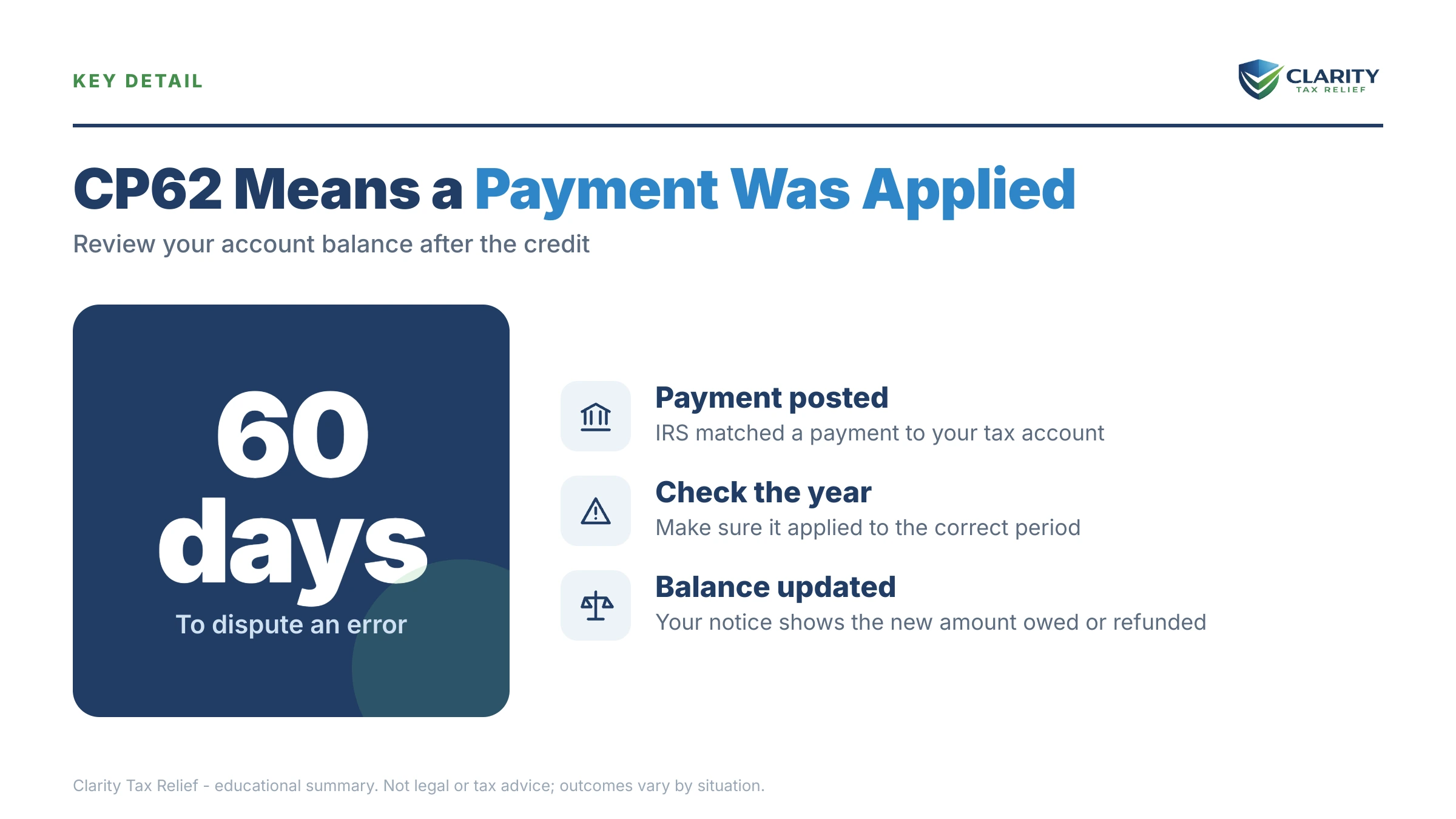
The short answer: a CP62 notice means the IRS located a payment it had lost or misapplied and has now credited it to your tax account. It typically arrives after you sent proof of a missing payment. Check the new balance printed on the notice: you may still owe money, owe nothing, or be due a refund.
For once, the IRS envelope contains a concession. After the canceled-check copies, the confirmation numbers, and the hold music, the IRS is telling you it found your money and put it on your account. That's the good part, and it's real.
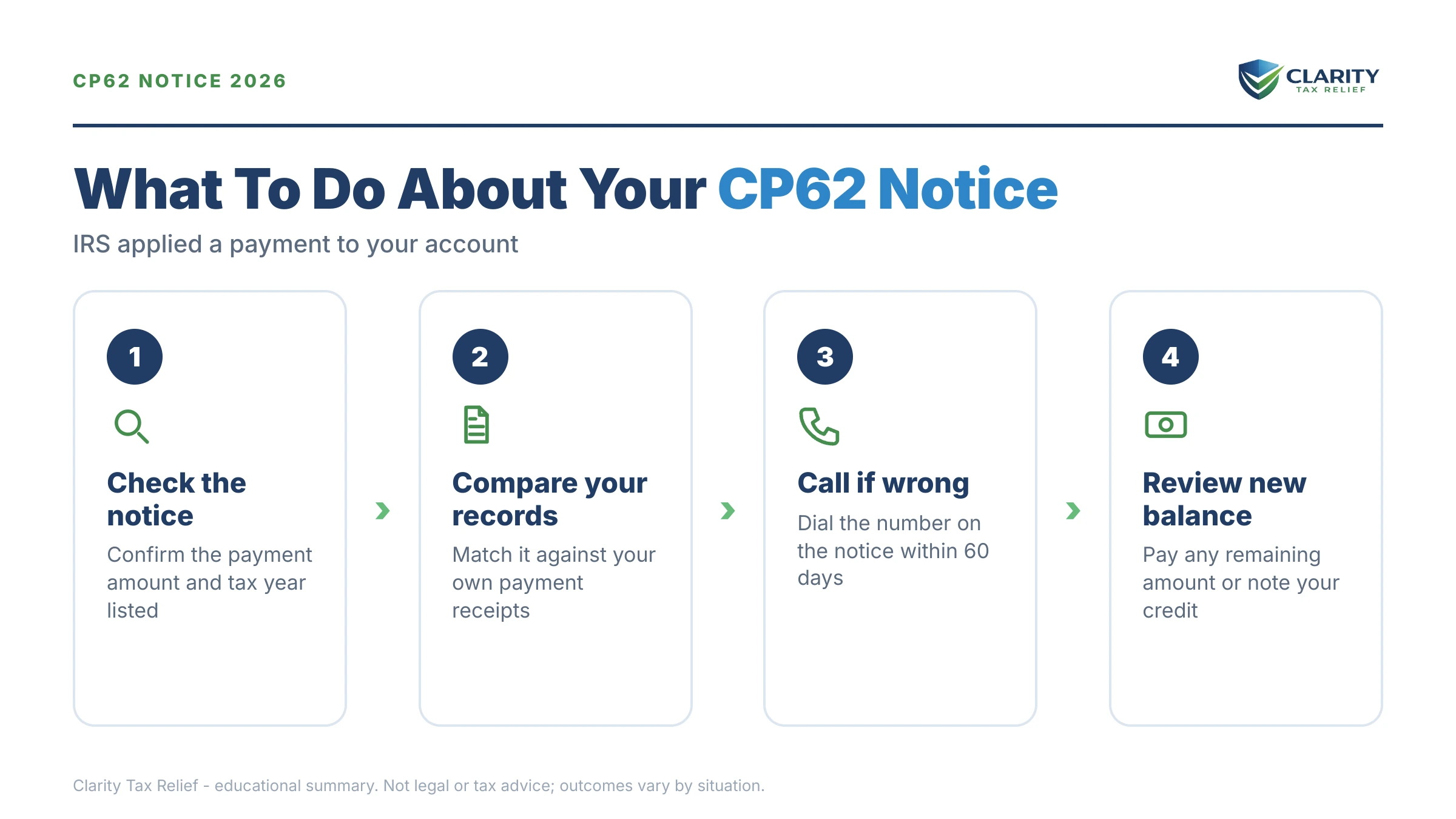
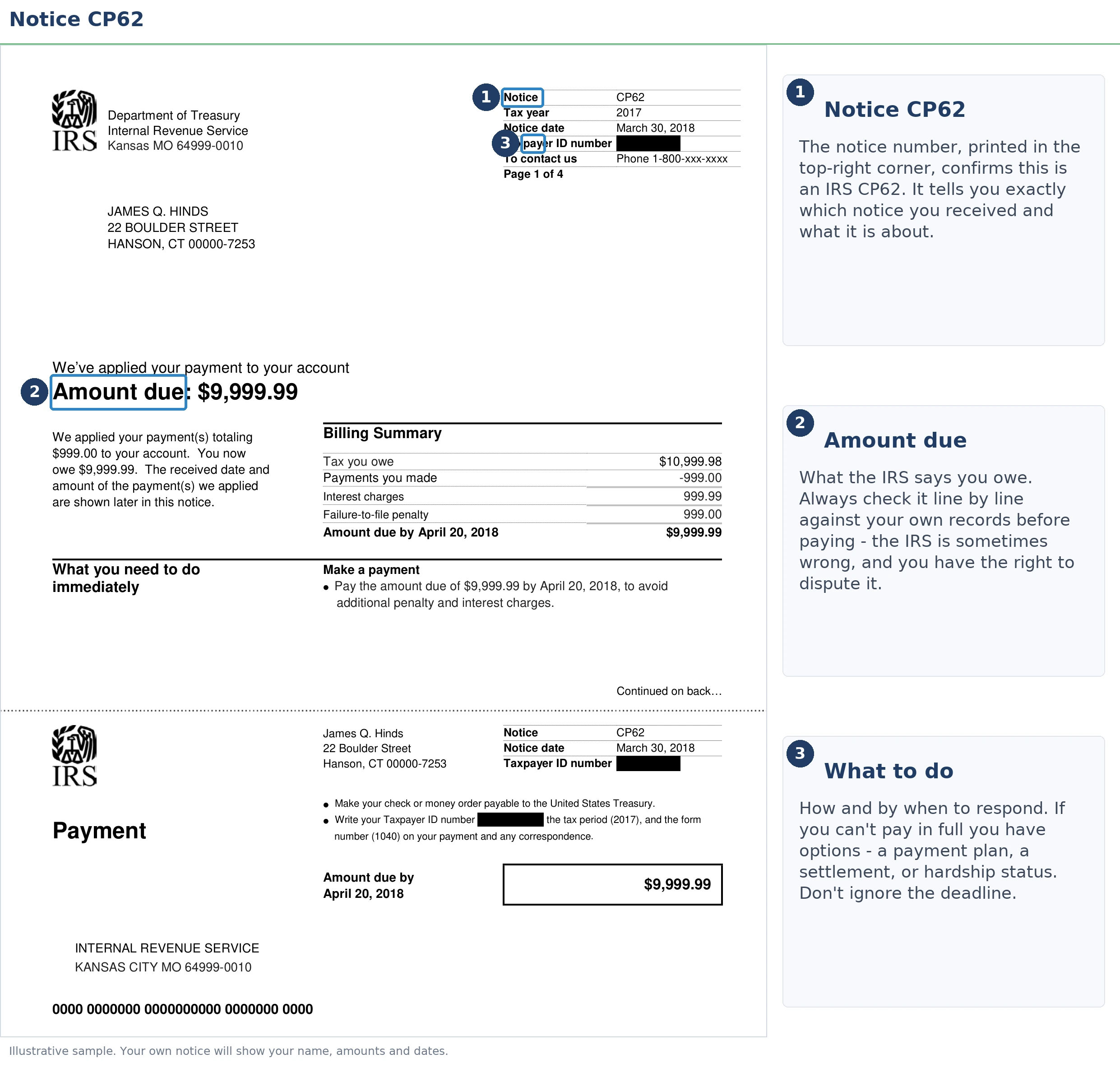
Your job now is smaller but still matters: make sure they applied the right payment to the right year, that the penalties were refigured, and that whatever balance remains doesn't quietly start growing. The image below shows exactly what a CP62 looks like and where to find the three lines that matter — the payment applied, the tax year, and your new balance.
⏱ Your clock: if your CP62 shows a remaining balance, the controlling date is the pay-by date printed on your notice. Interest and the 0.5% monthly failure-to-pay penalty keep accruing on any unpaid balance until it's resolved — a CP62 fixes where your payment went, not what's still owed.
Why you got a CP62 notice
The IRS sends a CP62 when it finds a payment that never posted correctly to your account — almost always because you, or someone representing you, pushed it to look. It's one of the few IRS letters that usually confirms you were right.
A CP62 is a correction, not a new bill. But corrections have backstories, and yours is probably one of these:
- Your payment posted under the wrong Social Security number. This is the classic joint-filer trap: the IRS keys a joint account to the first SSN on the return. A check or online payment made under the second spouse's SSN can sit unapplied for months while collection notices go out under the first.
- Your payment posted to the wrong tax year or quarter. A check meant for last year's balance lands on this year's account, or an estimated payment gets credited to the wrong period.
- The payment was simply lost in processing — cashed, but never matched to your account — until you sent the front and back of the canceled check or your payment confirmation.
- A payment was moved back to you after being pulled off your account earlier. If you also received a CP60 notice (payment removed), the CP62 may be the other half of the same credit transfer.
Many CP62 recipients got here through a CP14 notice demanding money they had already sent — the exact situation covered in our guide to a CP14 notice but I already paid. If you're still not sure why the IRS wrote to you at all, start with why did I get a letter from the IRS.
“Review it carefully and keep it for your records. If we ask you to respond, act by the due date.”
— Understanding your IRS notice or letter (IRS.gov)
First: check what the CP62 did to your balance
Every CP62 ends in one of three places: a balance still due, a zero balance, or an overpayment. The notice tells you which, but people file it away without reading past "we applied a payment," and that's how small leftover balances turn into collection letters.
| What your CP62 shows | What it means | Your next step |
|---|---|---|
| Balance still due | The located payment covered part of the debt. The rest — tax, recalculated penalties, interest — is still owed and still accruing. | Pay or set up a payment plan by the pay-by date on the notice. Don't wait for another letter. |
| Balance is zero | The payment covered everything, including refigured penalties and interest. The account is settled for that year. | Keep the CP62 and a transcript printout as proof. No payment needed. |
| Overpayment | The payment was more than the balance. The IRS will refund the difference or move it to another year where you owe. | Watch for the refund or transfer. If nothing arrives within several weeks, check your IRS online account. |
One more check before you accept any of the three: confirm the payment amount and tax year on the notice match your bank records. A CP62 that applies the right dollars to the wrong year hasn't fixed anything. It has relocated the problem.
What a CP62 looks like on your IRS account transcript
On your IRS account transcript, a CP62 appears as a payment transaction paired with Transaction Code 971, "notice issued." Pulling the transcript is the fastest way to confirm the correction actually posted — here's how to read an IRS account transcript if you've never opened one.
| Code | What it means | What to check |
|---|---|---|
| 971 | Notice issued. This line is the CP62 itself. | The date should match the notice date printed on your letter. |
| 610 | Payment received with your original return. | If your missing payment was sent with the return, look for this line carrying the original payment date. |
| 670 | Subsequent payment posted to the account. | The amount and effective date should match what you actually paid, not the date the IRS finally found it. |
| 826 | Overpayment transferred to another tax year. | If your CP62 created an overpayment, this shows where it went instead of a refund. |
| 846 | Refund issued. | If the overpayment is being sent back to you, this line carries the refund date. |
The effective date on the payment line is the detail worth squinting at. When a misapplied payment is corrected, it should be credited as of the date the IRS originally received your money. That date drives the penalty math in the next section.
A worked example: the $16,400 payment that finally posts
Say you and your spouse filed a joint return showing $19,900 due and mailed a $16,400 check with it, planning to pay the rest over the summer. The check was cashed, but posted under your spouse's SSN, so it never reached the joint account. A CP14 arrived demanding the full $19,900. You sent the front and back of the canceled check, and eight months later a CP62 arrives applying the $16,400.
Here's why the effective date matters. The failure-to-pay penalty runs at 0.5% per month on the unpaid balance:
- Eight months of penalty on the full $19,900: $19,900 × 0.5% × 8 = $796.
- Eight months of penalty on the true remaining $3,500 ($19,900 − $16,400): $3,500 × 0.5% × 8 = $140.
Because the payment is credited back to the date the IRS originally received it, the couple's penalty should be refigured down by roughly $656, with interest recalculated on the smaller base too. That's the number to verify on the notice: if the penalty lines on the CP62 look like they were computed on the full pre-correction balance, the recalculation didn't happen and you should push for it. You can estimate what the leftover $3,500 is costing each month with our IRS penalty and interest calculator.
This is a hypothetical. But the pattern is the single most common CP62 story we see: a joint payment stranded under the wrong SSN, months of scary notices, then a correction that's right on the payment and sloppy on the penalties.
What happens if you ignore a remaining balance
Any balance left after a CP62 flows straight into the IRS's automated collection sequence — the same track as an ordinary unpaid tax bill. The CP62 doesn't restart your protections or reset the account to "resolved." If dollars remain, the machine keeps moving:
- Unpaid CP62 balance — interest and the 0.5% monthly failure-to-pay penalty accrue. Still just a bill, and the cheapest moment to act.
- CP501 / CP503 — reminder notices. No enforcement yet, but each one arrives with a bigger balance than the last.
- CP504 — Notice of Intent to Levy. The IRS can now seize your state tax refund under IRC §6331(d), and a federal tax lien becomes a live risk.
- LT11 / Letter 1058 — Final Notice of Intent to Levy. This starts a 30-day clock and your Collection Due Process rights (requested with Form 12153). After it passes, wage and bank levies are on the table.
The bitter irony for CP62 recipients: after months proving a payment existed, some let a small leftover balance ride into the exact collection sequence they just escaped. In 2026, with IRS staffing down sharply, the notices are generated by automation that never takes a day off, even when reaching a human to fix things takes weeks.
Does your CP62 still show a balance, or the wrong numbers?
Send us the CP62 and the notices that came before it. An experienced tax professional will confirm the payment landed on the right year, that your penalties were actually refigured, and map the fastest path for anything left — free, before the pay-by date on your notice passes.
Your options if a balance remains after the CP62
Balances left behind by a CP62 are often small, and small balances qualify for the IRS's simplest fixes:
- Pay in full by the pay-by date. This stops the penalty and interest clock and ends the notice sequence. For a leftover balance in the low thousands, it's usually the cheapest path by a wide margin.
- Short-term payment plan — up to 180 days to pay in full, with a $0 setup fee. Interest and the failure-to-pay penalty continue, but collection notices stop escalating.
- Long-term installment agreement — monthly payments over up to 72 months, available online for balances up to $50,000. Here's how to set up an IRS payment plan online in one sitting.
- Penalty relief on what remains. If the corrected penalties still sting and your prior three years are clean, first-time penalty abatement can remove them. Starting in summer 2026, the IRS's new Automatic Exemption from Penalty (AEP) applies similar relief automatically for qualifying taxpayers, no request needed, so check whether your penalty was already exempted before writing a letter.
What you should not need here: hardship programs or settlement offers. A post-CP62 balance is usually a cleanup job, not a crisis, unless it's one of several years in trouble, which changes the strategy entirely.
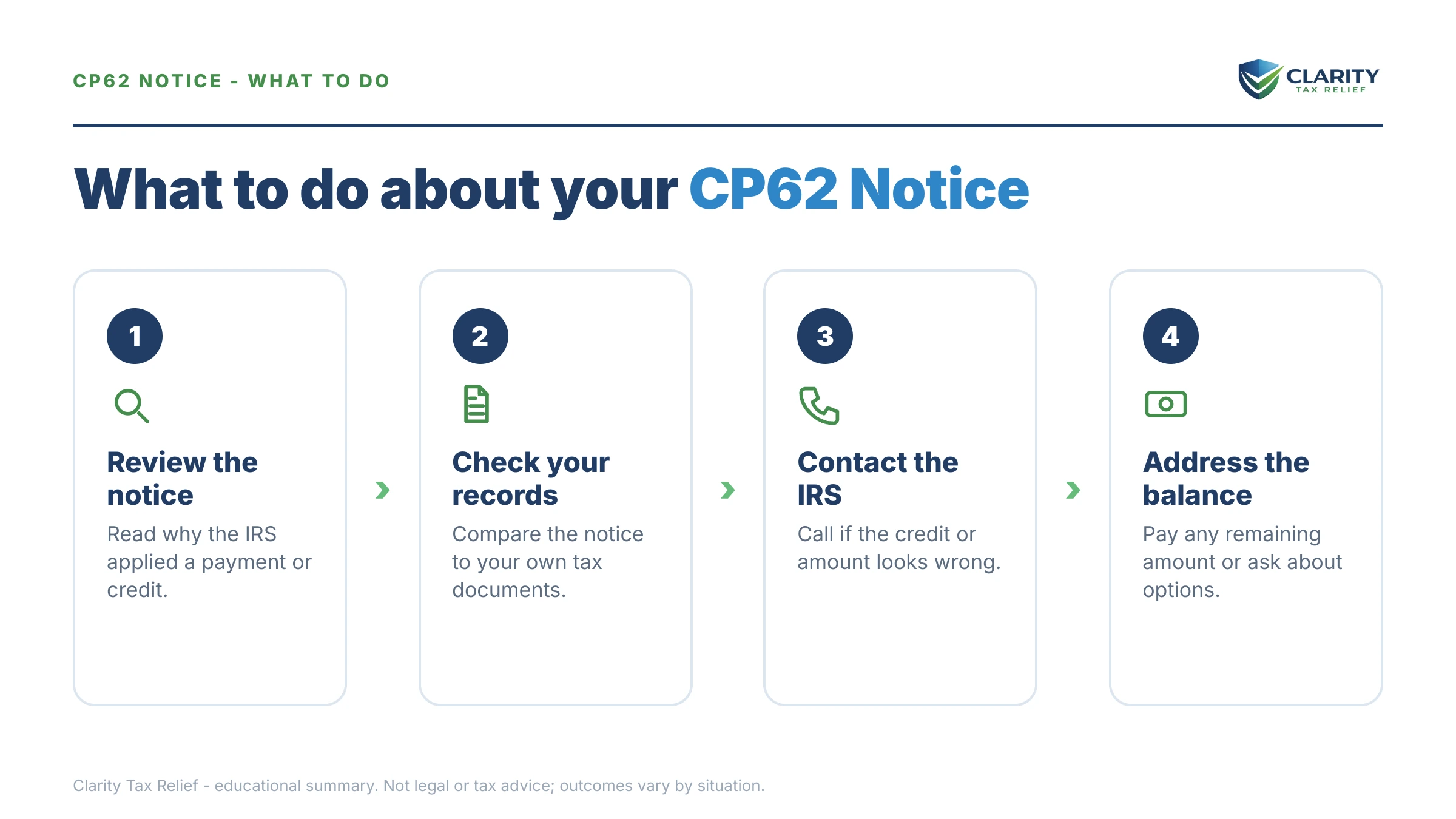
How to respond to a CP62 notice, step by step
- Match the payment. Pull your bank records and confirm the amount, date, and tax year on the CP62 match the payment you actually made.
- Check your new balance. Log in to your IRS online account and confirm it agrees with the balance printed on the notice.
- Verify the penalty math. Confirm failure-to-pay penalties and interest were refigured from the payment's original date, not the date the IRS finally posted it.
- Pay or arrange anything still owed. Pay at IRS.gov/payments or set up a payment plan before the pay-by date on your notice.
- File the CP62 with your tax records. It is your proof the payment posted if this account is ever questioned again.
When you can handle a CP62 yourself
Most CP62 recipients never need professional help. If the payment on the notice matches your records, the tax year is right. The balance is zero, or small enough to pay within 180 days — verify, pay if needed, and file the letter away. There's nothing to hire anyone for, and anyone telling you otherwise is selling.
Experienced help changes the outcome in a narrower set of situations:
- The CP62 covers only part of your missing payment — you sent $16,400 and the notice applies $9,000 — and calls to the IRS go nowhere.
- Multiple years are tangled together, with payments and balances shuffling between them (a CP60 pulling money off one year, a CP62 landing it on another).
- Penalties weren't recomputed after the correction, and the IRS is billing you for failure-to-pay amounts calculated on money you'd already paid.
- Enforcement started while your payment was being traced — a CP504 or LT11 arrived before the CP62 caught up. Those deadlines run on their own clocks and don't pause because a correction is pending.
In those cases, the fix is usually a transcript-level reconciliation of the account — tedious, technical, and much faster with someone who does it daily.
Terms on your CP62, decoded
- Misapplied payment — money the IRS received but posted to the wrong account, year, or period; the CP62 is the letter that fixes it.
- Effective payment date — the date your payment is treated as received, which controls how penalties and interest are calculated. After a correction it should be your original payment date.
- Failure-to-pay penalty — 0.5% of the unpaid tax per month; a corrected payment date should shrink this penalty retroactively.
- Credit transfer — the internal move of a payment from one account or year to another. A CP60/CP62 pair is a credit transfer seen from both ends.
- Account transcript — the IRS's line-by-line record of your tax year; the independent way to verify what the CP62 claims.
- Pay-by date — the deadline printed on the notice for any remaining balance; the date that matters if you still owe.
If your letter doesn't quite match what's described here, the IRS's own index at Understanding your IRS notice or letter can confirm which notice you're actually holding.
CP62 notice questions, answered
What does a CP62 notice from the IRS mean?
A CP62 means the IRS located a payment it had misplaced or misapplied and has now credited it to your tax account. It usually arrives weeks or months after you sent proof of a payment the IRS couldn't find. Check the new-balance line: depending on your account, you may still owe, be paid in full, or be due a refund.
Is a CP62 notice good news?
Usually, yes. It means the IRS agrees a payment it lost track of belongs on your account. But verify it before you file it away: confirm the amount, the tax year. The effective date all match your bank records, and check whether a balance remains. If one does, it keeps growing with interest and penalties until you address it.
Do I still owe money after a CP62 notice?
Only if the notice shows a remaining balance after the payment was applied. If it does, interest and the 0.5% monthly failure-to-pay penalty keep accruing until the balance is paid. The pay-by date printed on your notice controls. If the balance line reads zero, you owe nothing further for that year — keep the notice as proof.
What is the difference between a CP60 and a CP62 notice?
They are mirror images. A CP60 tells you the IRS removed a payment from your account, usually one that was posted to you by mistake, which can suddenly create a balance due. A CP62 tells you the IRS added a payment to your account, usually one that had gone missing. Some taxpayers see both when a payment is moved between accounts or years.
Why did the IRS misapply my payment in the first place?
The most common causes are mechanical: a check posted under the wrong Social Security number (often the secondary spouse's SSN on a joint return), a payment credited to the wrong tax year, an estimated payment applied to the wrong quarter, or transposed digits during processing. Joint filers are especially exposed because the IRS keys a joint account to the first SSN listed on the return.
Will the IRS remove penalties now that my payment was applied?
It should recompute them automatically. When a misapplied payment is corrected, the IRS generally credits it as of the date it originally received the money, and failure-to-pay penalties and interest should be refigured on the smaller balance. Compare the penalty figures on your CP62 against the earlier notices, if they weren't reduced, request a recalculation, and ask about first-time penalty abatement for anything that remains.
What if the payment amount or tax year on my CP62 is wrong?
Don't accept it — call the number printed on the notice and send proof: the front and back of the canceled check, or your bank or IRS payment confirmation. A CP62 that applies the right payment to the wrong year just moves the problem instead of fixing it. Never pay a balance created by a posting error without disputing it first.
Will I get a refund after a CP62 notice?
If applying the payment created an overpayment, the IRS typically refunds it — the notice will say so. Two exceptions matter: the overpayment can be transferred to another tax year where you owe (Code 826 on your transcript), or offset to other government debts before any check is issued. If a promised refund doesn't arrive within several weeks, check your IRS online account.
Your next 24 hours
- Find three lines on your CP62: the payment amount applied, the tax year it was applied to, and the new balance. Circle them and compare each against your bank records.
- Gather your paper trail: the canceled check or payment confirmation, the return for that year, and every notice that came before this one, especially any CP14, CP60, or reminder letters.
- If the numbers don't match or a balance remains, get a free case review: call (888) 825-7779 or use the 2-minute form. Interest and the failure-to-pay penalty accrue on any leftover balance every month it sits — the correction you fought for shouldn't end with the account back in collections.
This guide is general information, not tax or legal advice for your specific situation. Eligibility for IRS programs depends on individual facts and circumstances; no outcome is guaranteed.