
IRS Notices
IRS CP2000 Agree But Can't Pay? Exactly What to Do (2026)
The short answer: if you agree with your CP2000 but can't pay, sign and return the response form anyway, by the date printed on the notice, with zero money attached. Agreeing and paying are two separate steps. Once you've agreed, you can pay through a 180-day plan, a monthly installment agreement, or hardship status.
You matched the CP2000 against the 1099 in your files, and the IRS is right: that income never made it onto your return. Now the notice proposes $6,200, rent is due on the first, and the phrase "amount due" is doing laps in your head. Here's the part the notice never makes clear: the IRS does not expect a check with your agreement, and there's a built-in path for people in exactly your position.
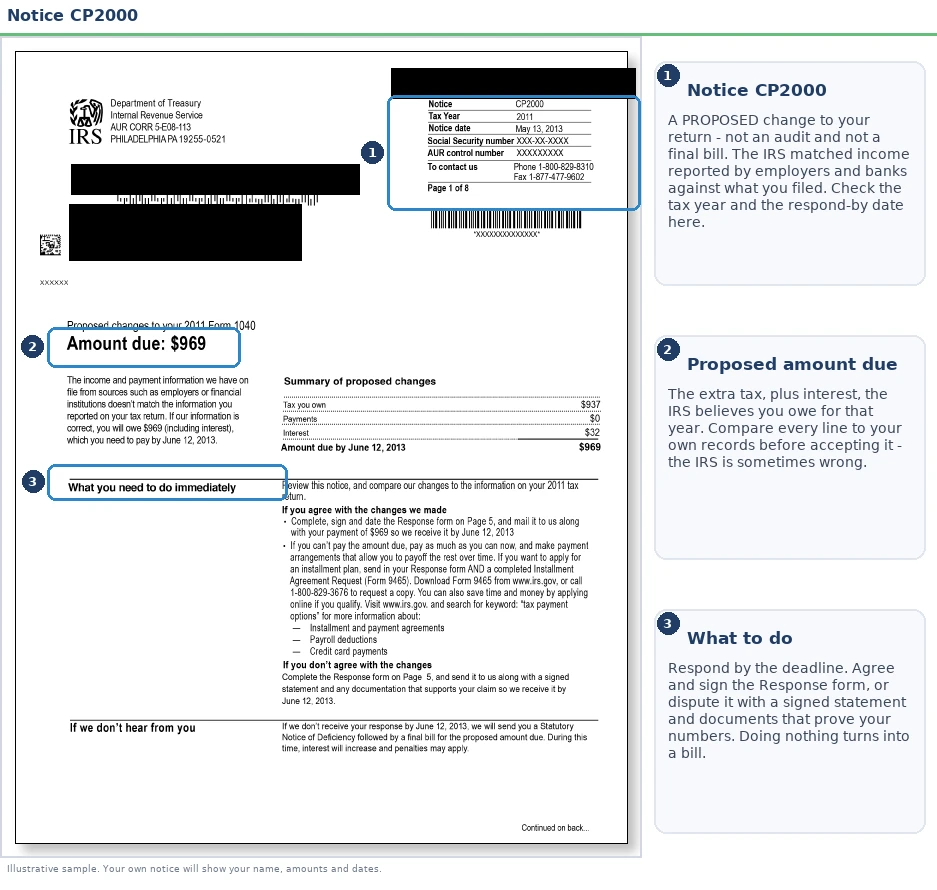
The signature page the IRS actually needs back is inside the packet, not on the front. The image below shows what a CP2000 looks like and where the pieces you need to act on are, so keep your notice handy as you read.
⏱ Your deadline: the response date printed on page one of your CP2000, typically 30 days from the notice date. You can meet that deadline without sending a dime. A signed response form is what stops the notice from escalating to a Statutory Notice of Deficiency; payment can follow on a schedule you can actually afford.
What “agree” actually means on a CP2000
A CP2000 is a proposed change to your return, not a bill. The tax has not been assessed yet, and it is not an audit; the CP2000 notice guide explains the notice itself. When you check "I agree with all changes" and sign, you are consenting to the assessment, telling the IRS it may put the proposed amount on your account without further process. The signature is a consent, not a promise to pay by any particular date.
This page assumes the numbers are right. If any figure looks off, because the income is not yours or it is gross 1099 income before your expenses, read CP2000 disagree first. You may owe less than the notice says.
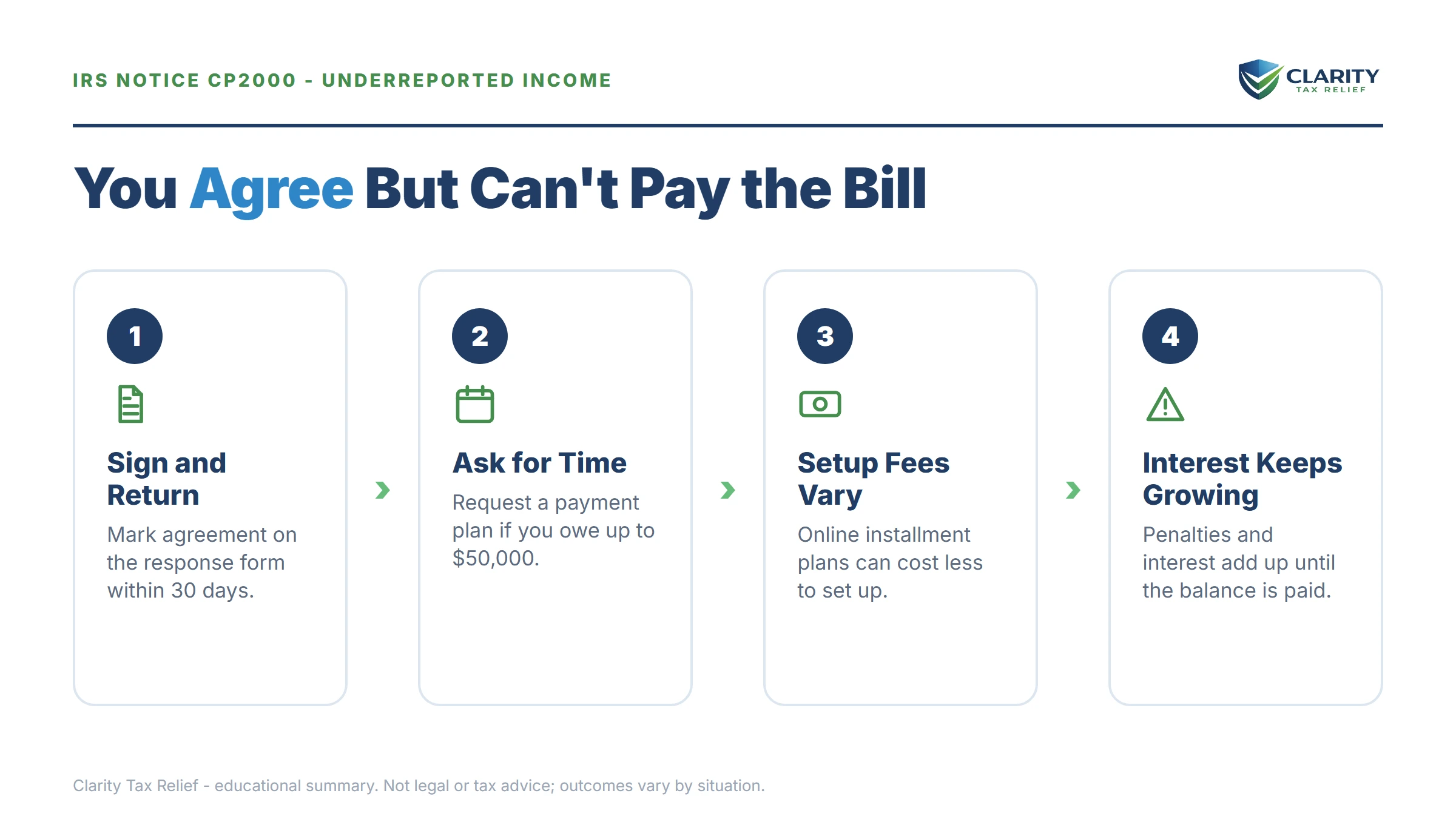
You can agree with a CP2000 without paying anything today
The response form is valid with a signature and no payment. This is the single fact that changes everything for someone staring at a number they don't have. Your job before the printed deadline is only this: agree in writing. Your job after is to choose how the balance gets paid, and the IRS offers several ways, covered below.
Three practical notes on the agreement itself:
- Both spouses must sign if the notice covers a jointly filed return, a single signature stalls processing.
- Send something if you can, even $200. Every dollar paid now stops accruing daily interest. It's optional, but it's the cheapest money you'll ever put toward this balance.
- Keep a complete copy of the signed form and anything you attach. If you want wording for a cover note, our CP2000 response letter sample includes an agree-but-requesting-a-plan version.
The agreement in your head does not count. Plenty of people who fully accept they owe the money still end up levied, not because they disputed anything, but because they never put the agreement on paper and the automated system treated their silence as a refusal.
If you agree and then do nothing
Agreeing in your head and not returning the form is the same as ignoring the notice. The IRS may send a CP3219A, assess the tax after its 90-day window, and start the collection sequence that ends in a levy. The stages are laid out in what happens if you don't respond to a CP2000. Returning the signed form with no payment stops that clock and starts the one you want: the account is assessed, you arrange payment. The IRS generally does not levy while an installment agreement request is pending.
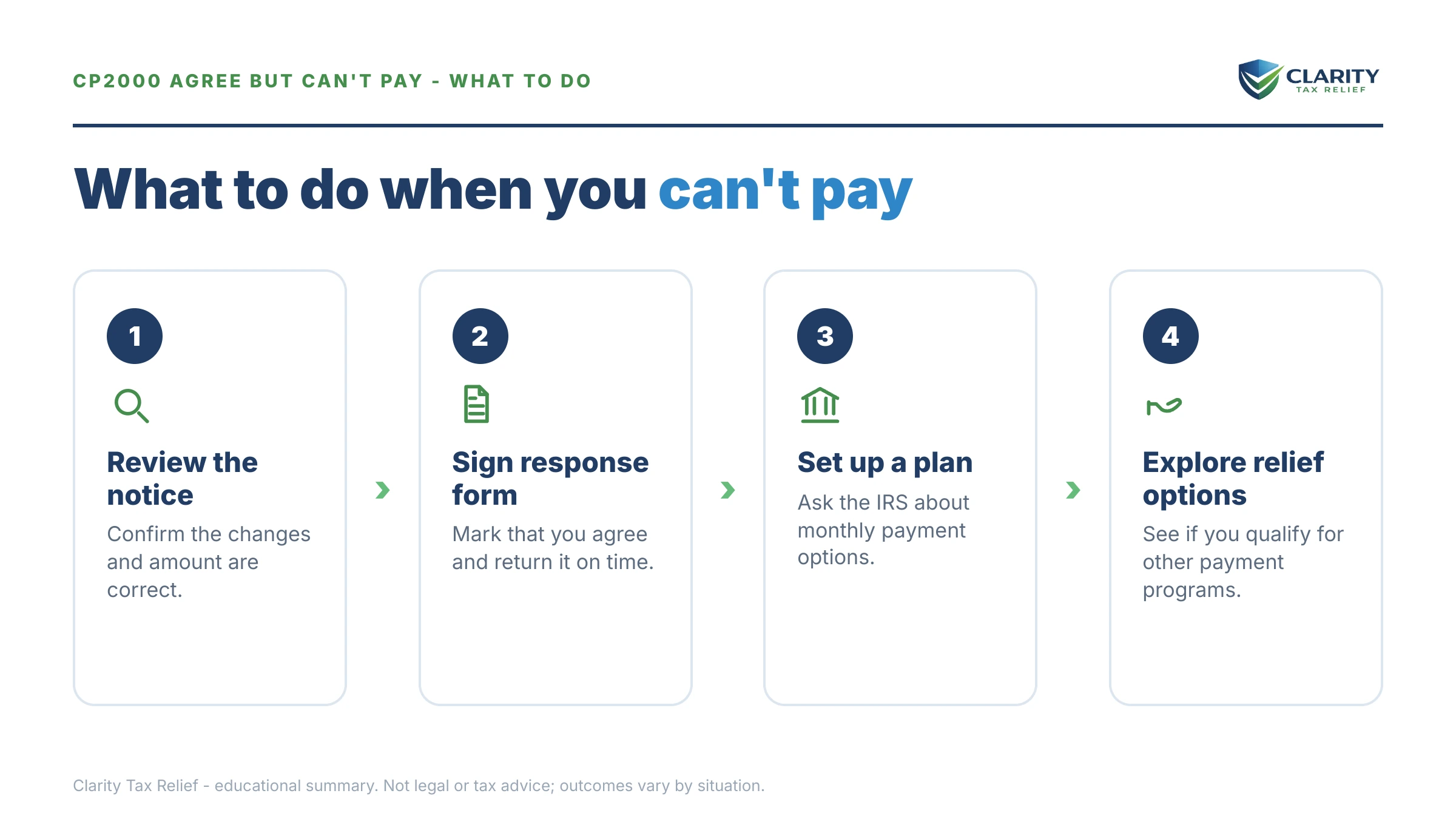
Agree with your CP2000 but can't pay it?
Get the notice reviewed free before your response date passes. An experienced tax professional will confirm the IRS's math, flag anything you shouldn't be agreeing to, and set up the arrangement that fits your budget, typically inside the 30-day window printed on your notice.
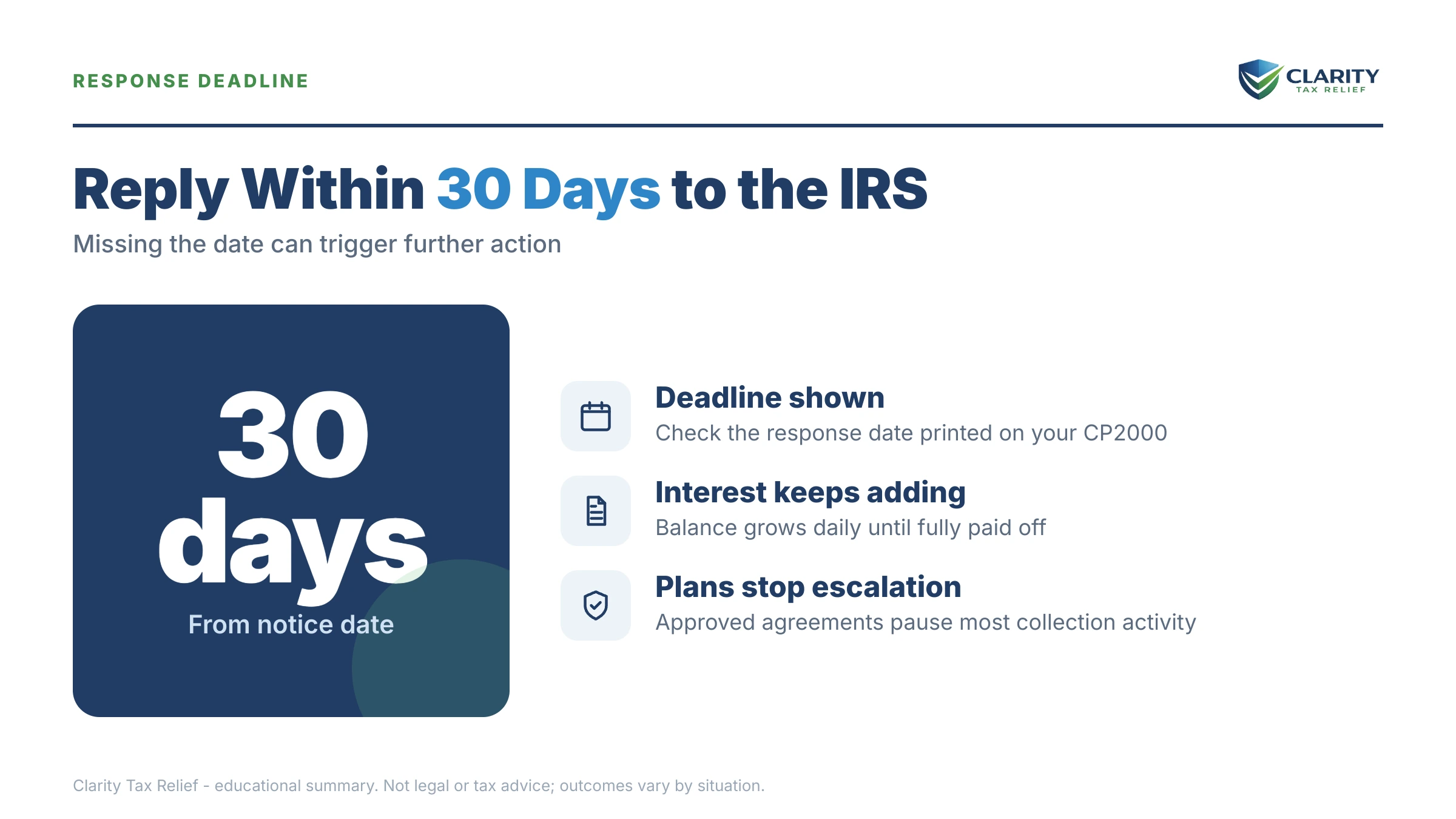
Your options when you agree with a CP2000 but can't pay
Every IRS payment program is available for a CP2000 balance once it's assessed, the debt is ordinary income tax, treated no differently than a balance from an original return. Which option fits depends almost entirely on the size of the balance and what your budget can absorb:
| Option | Who qualifies | Cost & terms |
|---|---|---|
| Short-term payment plan | Anyone who can pay in full within 180 days | $0 setup fee; interest and penalties continue until paid |
| Guaranteed installment agreement | Individuals only; income-tax balance of $10,000 or less (excluding penalties and interest); all returns filed; timely filing and payment for the past 5 years with no installment agreement in that period; full payment within 3 years | Approval is automatic when the conditions are met; no financial disclosure |
| Streamlined installment agreement | Balance ≤ $25,000 (or ≤ $50,000 with direct debit) | Up to 72 months; setup fee applies (reduced online, waived for low-income); no Form 433 |
| Currently Not Collectible | Paying anything would leave you unable to cover basic living costs (shown on Form 433-F) | Collection pauses; the debt and interest remain and the IRS reviews periodically |
| Offer in Compromise | Assets plus future income genuinely can't cover the debt before the collection statute runs | $205 fee (waived with low-income certification); roughly 1 in 5 offers accepted in FY2024 |
Some texture on each, specific to a CP2000 balance:
- Short-term plan (180 days). Best if the money exists but not yet, a bonus coming, a tax refund next season, a car about to be paid off. No setup fee, no monthly commitment.
- Guaranteed installment agreement. This is the workhorse for CP2000 balances under $10,000. It's for individuals whose income-tax balance (excluding penalties and interest) is $10,000 or less, who have filed all required returns, who have filed and paid on time for the past five years with no installment agreement in that period, and who commit to paying in full within three years. Meet all of those conditions and the IRS must accept it, it's the official program name, not a marketing promise.
- Streamlined installment agreement. If the CP2000 balance stacks on top of other years and pushes you above $10,000, you can stretch to 72 months without submitting a financial statement, up to the $50,000 direct-debit ceiling.
- Currently Not Collectible. If your rent, food, and transportation genuinely consume your income, the IRS can code the account as hardship. Collection stops; the debt doesn't, and interest keeps accruing.
- Offer in Compromise. Real, but means-tested and slow. On a mid-four-figure CP2000 balance, the math rarely favors it for anyone with steady wages, the IRS calculates it can collect in full through a plan. It becomes worth analyzing when the balance is large relative to what the IRS could realistically ever collect from you.
You can request an installment agreement two ways: attach Form 9465 to your signed CP2000 response, or wait for the assessment bill and set the plan up in your IRS online account (usually faster and cheaper). Either works, the attach-it-now route just means you never have a gap where the account sits unarranged.
Say you owe $6,200: the math on each option
Here's a clearly hypothetical example. Say your CP2000 proposes $6,200, about $5,000 in tax on a side-gig 1099 that never hit your return, a $1,000 accuracy-related penalty (20% of the understated tax), and roughly $200 of interest so far. You rent, you have a steady paycheck, and there's no spare $6,200 anywhere.
- Short-term plan: $6,200 ÷ 6 months ≈ $1,034/month. Cheapest in total interest, brutal on a renter's monthly budget.
- Guaranteed installment agreement (3 years): $6,200 ÷ 36 ≈ $172/month before accrual, budget closer to $190 so the payment outruns the interest and the 0.5%-per-month failure-to-pay penalty (which drops to 0.25% once the agreement is active).
- 72-month streamlined plan: roughly $87/month minimum. Easiest month to month, most expensive overall, because interest compounds for six years instead of three.
- Offer in Compromise: at this balance, with wage income, the IRS's collection-potential math almost always concludes it can collect the full $6,200 through a plan, so an offer would likely be money and months spent for a rejection. It's an option to price out only if your income genuinely can't fund even the $87 floor.
The takeaway for this reader: the Guaranteed Installment Agreement at ~$190/month resolves the whole thing in three years, keeps every levy notice out of the mailbox, and costs nothing to analyze.
The accuracy-related penalty and interest: what can actually come off
The 20% accuracy-related penalty on a CP2000 cannot be removed by first-time abatement, that's the mistake we see most often on this notice. First-time penalty abatement (and the new Automatic Exemption from Penalty rolling out in summer 2026) covers failure-to-file, failure-to-pay, and deposit penalties, not the accuracy-related penalty.
To remove the accuracy penalty you need reasonable cause: the 1099 arrived late or with wrong figures, a preparer made the error, a serious illness disrupted your records. If that's your story, you can agree with the tax and dispute the penalty on the same response, check the partial-agreement option and attach a short explanation. On the hypothetical above, that's $1,000 back on the table for the price of a paragraph.
Interest is different. It's statutory, runs from the return's original due date, compounds daily, and is generally only abated when an IRS error or delay caused it. What you can control is how long it runs, which is the real argument for the 3-year plan over the 6-year one. To see what your own balance will cost over different payoff windows, our IRS Penalty & Interest Calculator estimates the accrual month by month.
How to respond to a CP2000 when you can't pay, step by step
- Verify the IRS's numbers, Pull the 1099 or W-2 listed on the notice and confirm that income really was missing from your return, and note any business expenses that should offset it.
- Sign the response form, Check the box agreeing with the changes and sign; on a jointly filed return, both spouses must sign.
- Request a payment plan with your response, Attach Form 9465 asking for the monthly payment you can afford, and send any partial payment you can manage to slow the interest.
- Send it before the printed deadline, Use the enclosed envelope or the fax number on your notice, and keep a complete copy of everything you send.
- Confirm the assessment, Watch your mail and your IRS online account over the following weeks for the bill that makes the balance official, and make sure your payment plan is active.
- Request penalty relief where it fits, If you have reasonable cause, like a 1099 that arrived late or wrong, ask in writing for the accuracy-related penalty to be removed.
After you agree, the confirmation bill arrives as a CP14-series or CP22-type notice. If you'd rather pay it online than mail anything, our CP14 pay online walkthrough shows the exact screens. Full plan terms are on the IRS payment plans page.
Situations that change the answer
Joint return. Both signatures, no exceptions. If you're separated and your spouse won't cooperate, or the unreported income was entirely theirs, respond before the deadline anyway and get advice, because innocent-spouse rules may shift the liability off you entirely.
Self-employed or gig income. The AUR computer matches gross 1099 amounts. It doesn't know about your mileage, supplies, or platform fees. If the "unreported income" was business income with real expenses, a full agreement may overpay the IRS. Agreeing to the income while submitting a Schedule C showing expenses can legitimately shrink the proposed amount before it's ever assessed. This is the one scenario where "I agree" is often the wrong box.
Multiple years. AUR frequently catches the same missed income source two or three years running. Respond to each notice separately, but plan the payments together: a combined balance can cross the $10,000 or $25,000 thresholds and change which agreement you qualify for.
Already on a payment plan. A new assessment can default an existing installment agreement. Ask for the new balance to be rolled into the current plan when you respond, don't let the two balances collide by accident.
State follow-up. The IRS shares AUR adjustments with state tax agencies. If your state has an income tax, expect a state bill months later, amending your state return proactively is usually cheaper than waiting for the state's own assessment with its own penalties.
When you can handle this yourself, and when help changes the outcome
Most people in this exact situation can resolve it without hiring anyone. If it's a single tax year, you've verified the IRS's numbers are right, the balance is under $10,000. There are no unfiled returns lurking behind it: sign the response, set up the guaranteed installment agreement online, and you're done. That's a 30-minute project, and it's free.
Experienced help changes the outcome in specific situations: the "unreported income" is gross 1099 income before your expenses (you may owe far less than proposed). Multiple years or notices are stacking. An existing payment plan is at risk of defaulting. A levy notice is already in the sequence for another year. Or you have a genuine reasonable-cause case for removing the $1,000-plus accuracy penalty. In those cases the order and wording of what you send determines what you ultimately pay.
If your CP2000 sits on top of other tax years or a collection notice is already in the mix, a free review with an experienced tax professional at (888) 825-7779 can map the cheapest order to resolve it, before your response date passes.
CP2000 payment questions, answered
Do I have to send payment with my signed CP2000 response?
No. The response form asks whether you agree with the proposed changes, it does not require payment to be valid. Sign it, return it by the printed deadline, and arrange payment separately through a short-term plan or installment agreement. Sending even a partial payment does reduce the interest that keeps accruing, but it is optional.
Can I set up a payment plan for a CP2000 balance?
Yes. You can attach Form 9465 to your signed response, or wait until the IRS assesses the balance and set up a plan online. Balances under $50,000 generally qualify for a streamlined installment agreement of up to 72 months. Balances over $25,000 must be paid by direct debit or payroll deduction, and balances of $10,000 or less may qualify for a guaranteed installment agreement paid within three years.
What happens after I sign and return the CP2000 agreement?
The IRS assesses the additional tax, penalty, and interest, then sends a bill confirming the final balance. That usually takes several weeks, sometimes longer with current IRS staffing levels. If you attached Form 9465, you'll get a letter confirming or adjusting your plan. If not, set up your plan online as soon as the bill arrives.
Will the IRS levy my bank account over a CP2000?
Not at this stage. A levy requires the IRS to first assess the tax, send a series of bills, and issue a final notice of intent to levy (LT11 or Letter 1058) with a 30-day warning. A signed response plus a payment arrangement keeps you far away from that point. Levies happen to people who ignore the entire sequence, not to people on active plans.
Does agreeing to a CP2000 count as admitting fraud?
No. A CP2000 is a civil, computer-generated matching adjustment, not a fraud case or an audit. The 20% accuracy-related penalty that often appears on it is a negligence penalty, which is legally distinct from the 75% civil fraud penalty. Agreeing simply consents to the assessment of the proposed tax.
Can I get the 20% accuracy-related penalty removed if I agree with the tax?
Sometimes, but not through first-time abatement, which only covers failure-to-file, failure-to-pay, and deposit penalties. Removing the accuracy-related penalty requires showing reasonable cause, such as relying on a wrong or late 1099 or a preparer's error. You can agree with the tax on your response and dispute the penalty at the same time.
Does interest keep adding up while the IRS processes my response?
Yes. Interest runs from your return's original due date until the balance is paid, and it compounds daily. The processing wait doesn't pause it. That's why paying whatever you can now, even $500 on a $6,200 balance, saves real money. Once an installment agreement is active, the monthly failure-to-pay penalty also drops by half.
Do both spouses have to sign the CP2000 response?
Yes, if the notice covers a jointly filed return. The IRS treats an agreement signed by only one spouse as incomplete, which can stall processing past your deadline. If your spouse is unavailable or you're now separated, respond before the deadline anyway and explain, and note that innocent-spouse rules may apply if the unreported income was solely theirs.
Will my state send a tax bill after my CP2000?
Very likely, if your state has an income tax. The IRS shares CP2000 adjustments with state tax agencies, which typically recalculate your state return and issue their own bill months later. It's usually cheaper to amend your state return proactively than to wait for the state's assessment, which arrives with its own penalties and interest.
Your next 24 hours
- Find the response date and the proposed amount due on page one of your CP2000, and circle both. That printed date, not a guess, not a vibe, is your real deadline.
- Gather three things: the full CP2000 packet, your tax return for the year it covers, and the 1099 or W-2 the notice says you missed (plus any expense records that offset it).
- Get the free case review, the 2-minute form at claritytaxrelief.com/#consult or (888) 825-7779. We'll confirm whether "agree" is even the right box, and have your response and payment arrangement mapped well inside the window printed on your notice.
This guide is general information, not tax or legal advice for your specific situation. Eligibility for IRS programs depends on individual facts and circumstances; no outcome is guaranteed.