
IRS Transcripts
How to Get IRS Transcript Online in 2026: Every Type, Step by Step
The short answer: to get an IRS transcript online, sign in to your IRS Individual Online Account at IRS.gov (identity-verified through ID.me), open the Tax Records section, pick the transcript type and year, and download the PDF instantly. All five transcript types are free, and the whole online route takes about 10 minutes.
You need to see what the IRS actually has on file — maybe a lender asked for transcripts, maybe a notice landed with a number that doesn't match yours, or maybe you're a 1099 contractor finally ready to face what's built up. Here's the part that should lower your shoulders: if you know how to get IRS transcript online access set up once, every answer is a free PDF, about ten minutes away, no phone hold required.
That last point matters more in 2026 than it ever has. The IRS cut roughly a quarter of its workforce in 2025, and reaching a human by phone is genuinely hard, but the transcript system is fully automated and works fine. If you've never seen one, an account transcript looks nothing like a tax return; the image below shows exactly what one looks like and where the balance and codes sit, so keep reading.
⏱ The real clock: there's no deadline to request a transcript, but if a balance is sitting on your account, the failure-to-pay penalty adds 0.5% of the unpaid tax every month and interest compounds daily while you don't look. The transcript is free; not knowing what's on it is not.
Why you need an IRS transcript, and which of the five types
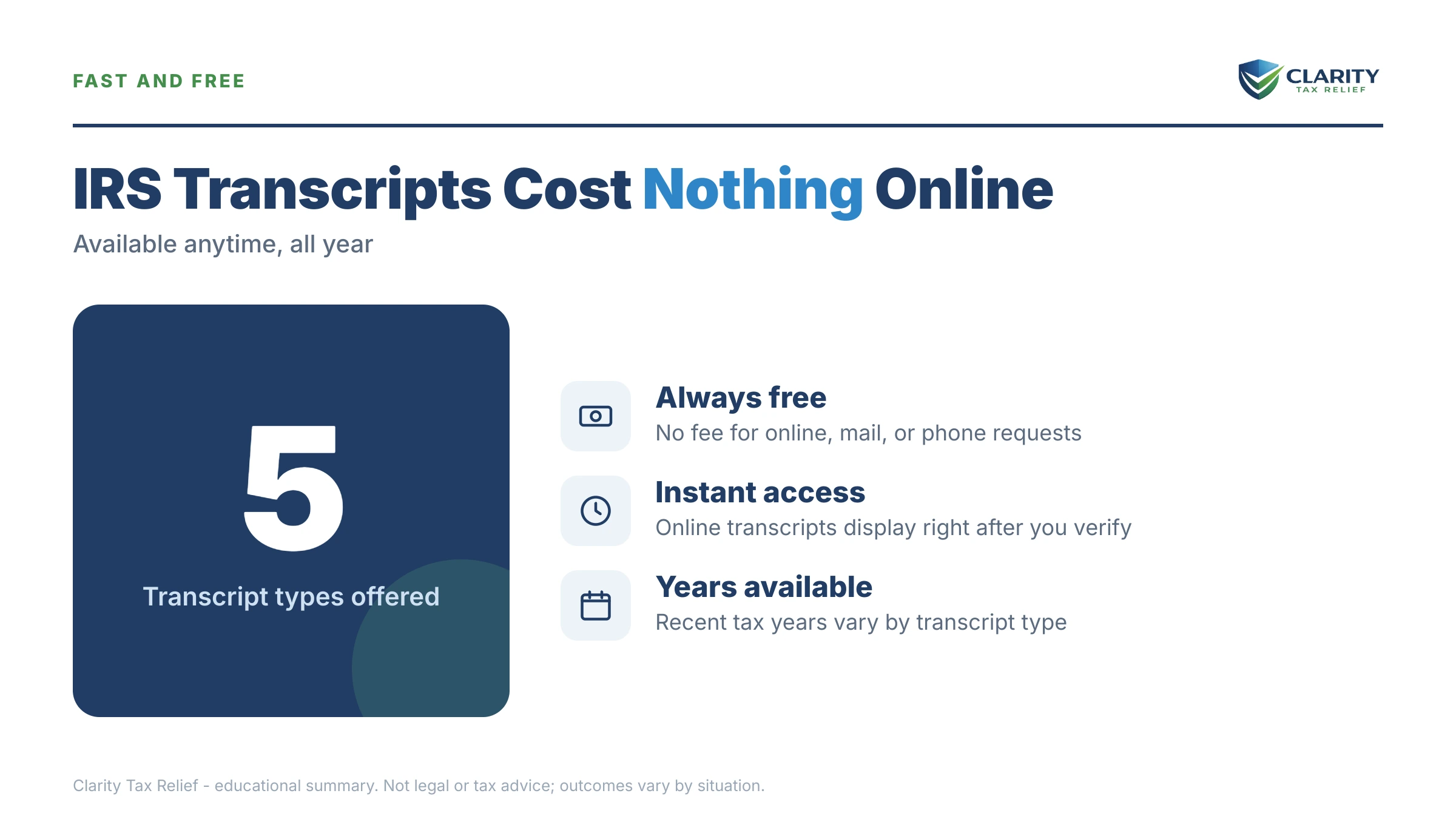
The IRS offers five transcript types online, all free, and the tax account transcript is the only one that shows exactly what you owe. People routinely download the wrong type, so match the document to the job before you click. Mortgage lenders usually want the return transcript. Anyone rebuilding unfiled years needs the IRS wage and income transcript. Anyone with a balance or a confusing notice needs the account transcript.
One more thing transcripts are not: a copy of your actual return. A transcript is the IRS's internal summary of your account — which is exactly why it's more useful than your own paperwork when the question is "what does the IRS think I owe?"
| Transcript type | What it shows | When you need it |
|---|---|---|
| Tax account transcript | Tax assessed, payments, penalties, interest, and the running balance for one year — tracked by transaction codes | You owe money, got a notice, or want to see what the IRS did to your account |
| Tax return transcript | Most line items from the return as you originally filed it | Mortgage, student aid, or immigration applications |
| Record of account transcript | Return transcript + account transcript combined in one document | Amended returns, disputes, or when a pro is reviewing your whole year |
| Wage and income transcript | Every W-2, 1099, 1098, and 5498 third parties reported under your SSN | Unfiled years, missing 1099s, or reconstructing income without records |
| Verification of non-filing letter | Official proof the IRS has no return on file for a year | Financial aid or benefit applications that require proof of non-filing |
“You may register to use Individual Online Account to view, print, or download all transcript types listed below.”
— Transcript types for individuals and ways to order them (IRS.gov)
What happens if you never look at your account
An IRS balance you haven't looked at keeps growing and keeps moving through an automated collection sequence, whether or not you open the mail. For a 1099 contractor especially, the machine already knows your income: every client's 1099 posts to your wage and income file. The computers compare it to what you filed. If you don't check, here's the order things unfold:
- The balance compounds silently. The failure-to-pay penalty adds 0.5% of the unpaid tax each month, and interest compounds daily on the whole balance — tax, penalties, and prior interest.
- The notice sequence starts. A CP14 bill arrives with roughly 21 days to respond (10 business days if the balance is $100,000 or more), followed by CP501 and CP503 reminders, each with a bigger number than the last.
- Enforcement powers switch on. A CP504 lets the IRS take your state tax refund. The LT11 final notice opens a 30-day window before wage and bank levies become legal.
- Unfiled years get filed for you. The IRS can prepare a substitute return from your wage and income data — gross 1099 income, no business deductions, worst-case tax.
- Big balances hit the passport line. Once certified seriously delinquent debt passes $66,000 in 2026, the State Department can deny or revoke your passport.
Every stage of that sequence is visible on an account transcript before the letter arrives — the transcript is your early-warning system, not just a record of the past.
Transcript showing a balance you didn't expect?
Every month it sits, the failure-to-pay penalty and daily interest add to it. Send us your transcripts and an experienced tax professional will map exactly where your account stands — which years, which penalties, which options — free and confidential.
Every way to get an IRS transcript in 2026, compared
The online account is the fastest of five request methods — instant download versus days or weeks for everything else. The others exist for people who can't pass identity verification, need very old years, or want someone else to do the pulling.
| Method | How fast | Best for |
|---|---|---|
| IRS Individual Online Account | Instant PDF (first-time ID.me setup ~10–15 minutes) | Almost everyone — all five types, all recent years, free |
| Get Transcript by Mail (IRS.gov) | Typically 5–10 calendar days to the address on file | Return and account transcripts when ID.me verification fails |
| Automated phone line: 800-908-9946 | Mailed, typically 5–10 calendar days | No internet access; no human hold time — it's fully automated |
| Form 4506-T by mail or fax | Several weeks | Older years, verification of non-filing, or a new mailing address |
| Experienced tax professional (Form 8821 or 2848) | Often same-day through IRS practitioner systems | Multiple years, active collection cases, or full account analysis |
Two cautions before you order by mail: transcripts go only to the address the IRS has on file, so if you've moved since your last return, mail ordering won't work until the address is updated. And if a lender needs your transcript, they'll usually pull it themselves with a Form 4506-C you sign. You rarely need to play courier.
How to get IRS transcript online: the 6-step walkthrough
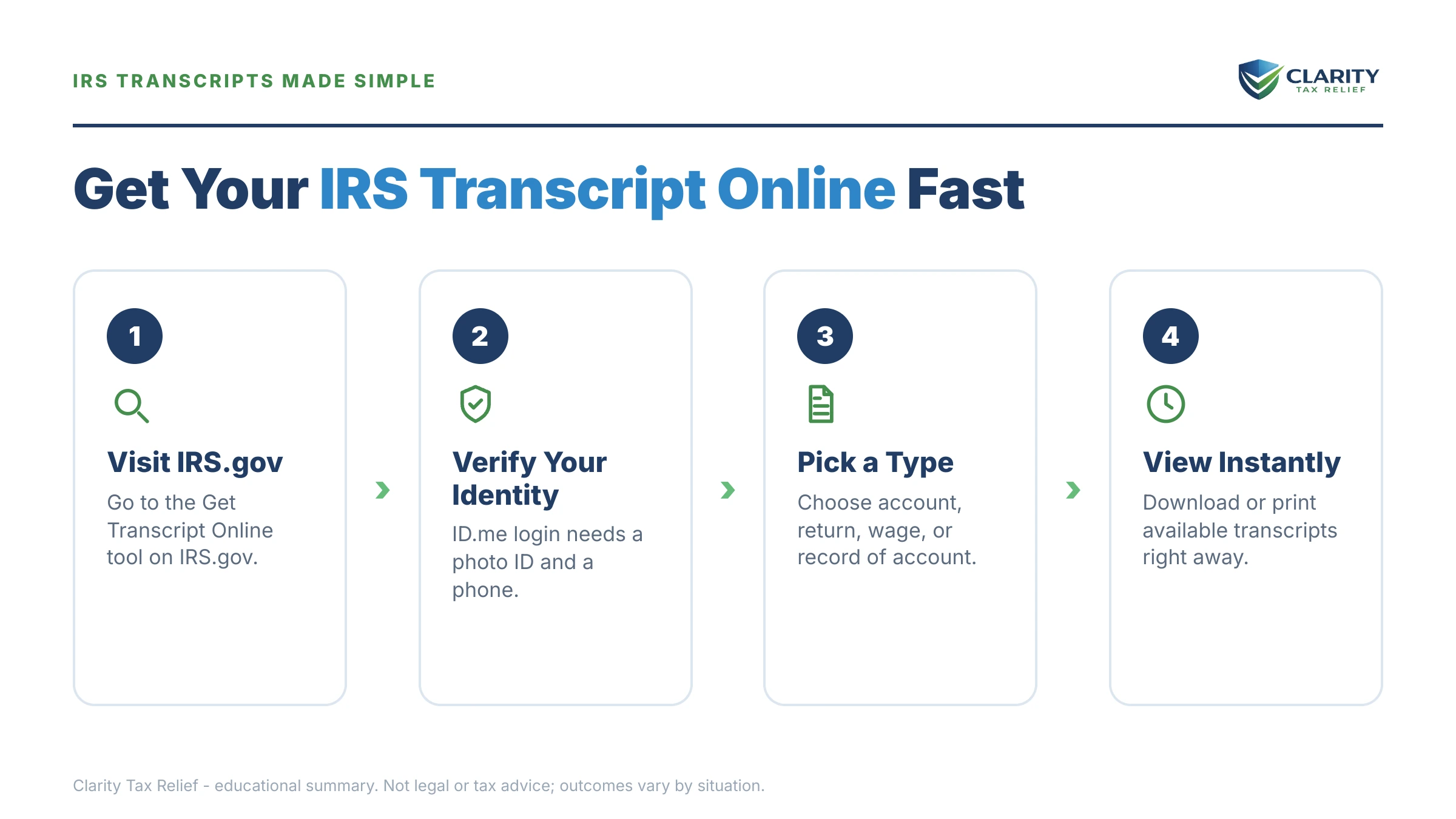
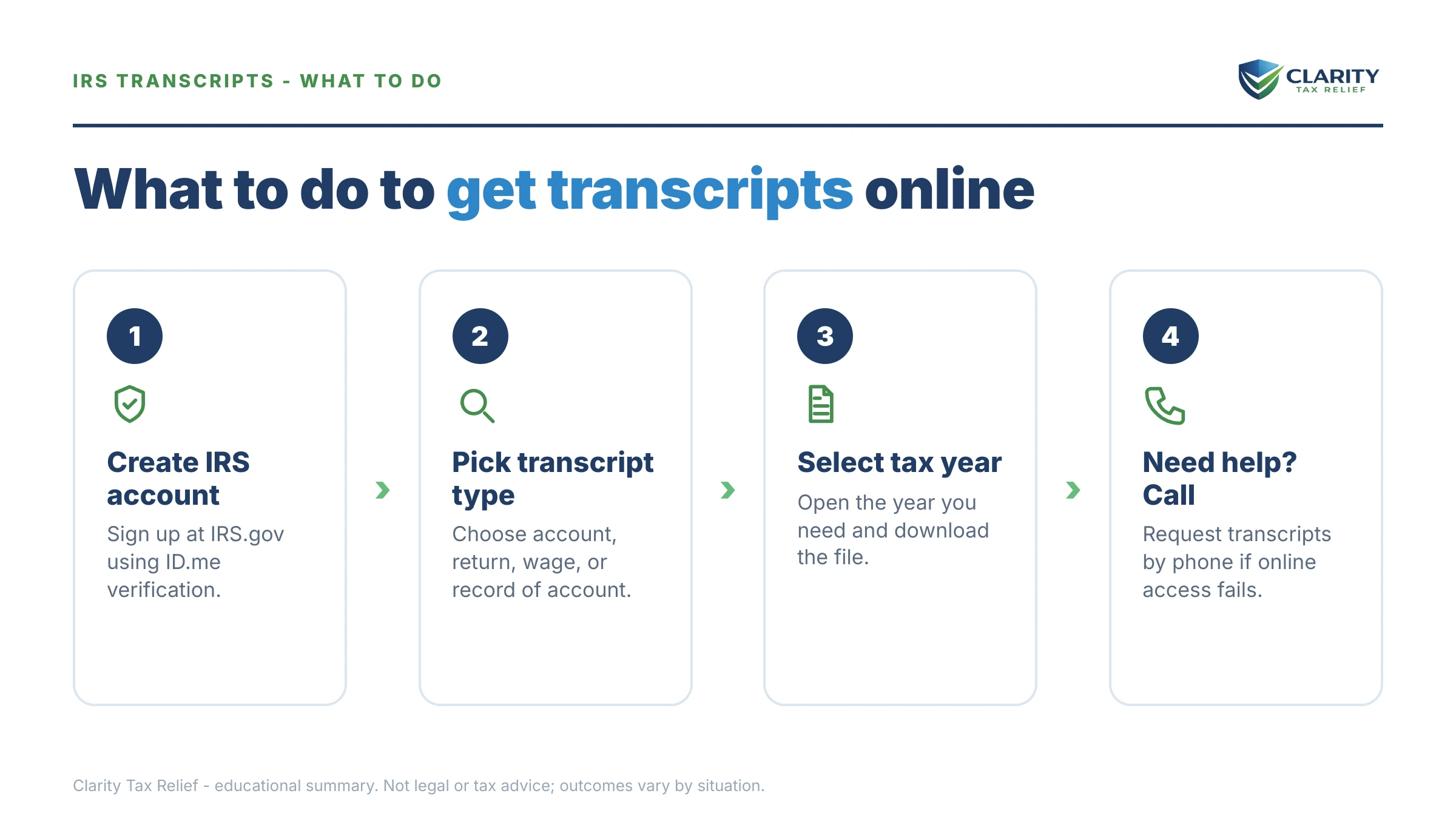
Getting your first transcript online takes one identity verification and about ten minutes; every transcript after that takes seconds. If the online account itself is the sticking point, our IRS online account setup walkthrough covers the sign-up screens in detail.
- Create or sign in to your IRS Individual Online Account. Go to IRS.gov, choose "Sign in to your account," and verify through ID.me — have a photo ID and a smartphone ready for the first-time setup.
- Open the Tax Records section. From your account dashboard, select Tax Records, then the transcripts area — every type and year you're entitled to appears in one place.
- Choose the transcript type and tax year. Pick the account transcript for balances and codes, the wage and income transcript for missing 1099s, or the return transcript for a lender — one download per year.
- Download and save the PDF for every year that matters. If you owe or have unfiled years, pull each year back to your last clean one so nothing surprises you later.
- Check three things on each account transcript. The "Account Balance" line near the top, the "as of" date beside it. The transaction-code list at the bottom.
- Act on what you find. Pay, set up a payment plan, file the missing return, or get a free professional review — a transcript is only useful once you do something with it.
Two hiccups to expect. First, ID.me rejects a meaningful share of first attempts — a glare on the ID photo, a mismatched address, a prepaid phone. Our guide to ID.me / idverify.irs.gov problems walks through every fix, including the live video-agent option. Second, transcripts arrive partially masked — most of your SSN and personal data is hidden for identity-theft protection, which is normal, not an error.
Reading the transcript you just downloaded
Every event on an account transcript is a three-digit transaction code with a date and a dollar amount. A handful of codes explain most accounts. The full line-by-line decoding lives in our guide to how to read an IRS account transcript — here's the quick key for what you're most likely to see:
| Code | What it means | What to do |
|---|---|---|
| 150 | Return filed and tax assessed — the anchor line for the year | Confirm it matches the tax on the return you filed |
| 806 | Withholding and estimated-payment credits applied | Verify all your quarterly payments actually posted here |
| 570 / 971 | Account hold / notice issued | Watch the mail — a letter explaining the hold is coming or already sent |
| 276 / 196 | Failure-to-pay penalty / interest charged | These are the growth lines — the reason waiting costs money |
| 290 | Additional tax assessed after the original return | Find out why. You may have appeal or abatement rights |
| 420 | Return pulled for examination (audit indicator) | Don't wait for the letter — get your records organized now |
| 846 | Refund issued | Note the date — that's when the money actually moves |
A worked example: what $27,500 looks like on transcripts
Say you're a 1099 contractor who filed 2023 and 2024 on time but couldn't pay. Your 2023 account transcript shows code 150 at $14,800; the 2024 one shows code 150 at $9,400 — $24,200 in tax. Scattered below are code 276 penalty lines totaling $2,100 and code 196 interest lines totaling $1,200. Account balance across both years: $27,500.
Now the transcript tells you what waiting costs: the failure-to-pay penalty alone adds roughly 0.5% of the $24,200 unpaid tax, about $121, every month, plus daily interest on the full $27,500. You can estimate your own accrual with our Penalty & Interest Calculator.
The transcripts also tell you the fix. At $27,500, you're under the $50,000 streamlined threshold, so you could set up a 72-month installment agreement online without submitting financial statements — roughly $382 a month ($27,500 ÷ 72) before ongoing accrual. The walkthrough is in IRS payment plan online, step by step. That's the entire point of pulling transcripts: exact numbers turn a vague dread into a monthly payment you can evaluate.
When you can do this yourself, and when help changes the outcome
Pulling and reading your own transcripts is a genuine do-it-yourself task for most people. If you have one or two years with balances, no levy activity, and codes that match the table above, you don't need to pay anyone — download the PDFs, verify the numbers, and set up a payment plan online. The official request page is IRS.gov Get Transcript, and it costs nothing.
Experienced help earns its cost in four situations. Multiple unfiled years, where wage and income transcripts must be pulled and reconciled before returns can be reconstructed — see filing back taxes with no records. A levy or garnishment already in motion, where reading the account is step one of an urgent release. Business or payroll debt, where personal and entity accounts intertwine. And disputed assessments, a code 290 or 420 you don't agree with, where the response strategy matters more than the reading. In those cases, a professional with Form 8821 authorization can pull every year same-day and map the whole account before anything escalates.
Terms on your transcript, decoded
- Transaction code (TC): the three-digit number the IRS assigns to every event on your account — assessments, payments, holds, notices.
- "As of" date: the date the balance shown is calculated to — usually a near-future date, not a deadline. Full explanation in our "as of" date on IRS transcript guide.
- Cycle code: an eight-digit stamp showing which weekly processing batch your account updates in; it explains what day IRS transcripts update for you.
- Customer file number: an optional number you (or a lender) assign so a masked transcript can be matched to an application without exposing your SSN.
- N/A entry: a year listed with no transcript available, usually a return not yet processed or never filed. See transcript shows N/A or blank.
- CSED: the Collection Statute Expiration Date — the IRS generally has 10 years from a tax's assessment date (the code 150 or 290 date on your transcript) to collect it, though certain events pause that clock.
Getting your IRS transcript online: your questions answered
Can I get my IRS transcript online immediately?
Yes — once you're signed in to your IRS Individual Online Account, every transcript type downloads instantly as a PDF. The slow part is first-time identity verification through ID.me, which takes about 10–15 minutes with a photo ID and a smartphone. If verification fails, the fallback is Get Transcript by Mail, which typically arrives in 5–10 calendar days.
Is it free to get an IRS transcript?
Yes. All five transcript types are free through every request method — online account, mail, the automated phone line, and Form 4506-T. The only thing the IRS charges for is a full photocopy of an actual filed return, ordered on Form 4506, which carries a per-return fee and takes far longer. For almost every purpose, the free transcript is enough.
Which IRS transcript shows how much I owe?
The tax account transcript. It lists the tax assessed, every payment, every penalty and interest charge, and the running balance for one tax year, tracked through transaction codes. If you owe for several years, download one account transcript per year and add the balances together — no single transcript totals your whole debt.
What if I can't verify my identity with ID.me?
You still have paths. Retry with a different document, use ID.me's live video-agent option instead of the automated selfie check, order transcripts by mail at IRS.gov or through the automated line at 800-908-9946, or mail Form 4506-T. You can also authorize an experienced tax professional with Form 8821 to pull transcripts on your behalf.
Why does my transcript say "No record of return filed"?
Either the IRS hasn't finished processing your return yet, or no return was ever filed for that year. Recently filed returns can take weeks to post. If you never filed, the return transcript shows nothing. But your wage and income transcript still lists every W-2 and 1099 reported under your SSN, which is exactly what you need to file the missing year.
Does requesting a transcript trigger an audit?
No. Pulling a transcript is a read-only look at records the IRS already keeps. It doesn't change your account, flag it, or move you up any audit queue. Millions of taxpayers download transcripts every year for mortgages, student aid, and immigration. Audit selection runs on what's in your returns and third-party data, not on who reads their own file.
How many years of IRS transcripts can I get online?
The online account covers recent years well — wage and income transcripts typically go back around ten years, and account transcripts cover the years most people need for balances and payment plans. For older years, or a verification of non-filing letter for a past year, mail Form 4506-T and request the specific years on line 9.
Can someone else get my IRS transcript for me?
Yes, with written authorization. Form 8821 lets an experienced tax professional receive your transcripts and account information without power of attorney; Form 2848 adds the power to represent you. Mortgage lenders use Form 4506-C with your signature to pull transcripts directly from the IRS. Nobody can legally access your transcripts without one of these consents.
Your next 24 hours
- Download the transcripts. Sign in (or create your account) at IRS.gov and pull the account transcript for every year since your last fully-paid one — note the "Account Balance" line and "as of" date on each. If mail is your only option, order today so the 5–10 day clock starts; the paper request form is Form 4506-T.
- Gather the paper. Your last filed return, any IRS notices you've received. This year's 1099s — together with the transcripts, that's everything needed to evaluate any option, and anything you decide to pay goes only through IRS.gov/payments.
- Get the free review. If the transcripts show balances, holds, or unfiled years, send them to us at the 2-minute form or call (888) 825-7779 — an experienced tax professional will map your account while penalties and interest are still small enough to matter.
This guide is general information, not tax or legal advice for your specific situation. Eligibility for IRS programs depends on individual facts and circumstances; no outcome is guaranteed.