
IRS Forms
Form 8821 Instructions: How to Fill Out the IRS Tax Information Authorization (2026)
The short answer: Form 8821, Tax Information Authorization, lets any person or company you name receive and inspect your confidential IRS records — transcripts, balances, and notices — but gives them no power to represent you. Complete line 1 (your information), line 2 (your designee), line 3 (exact tax types and years), then sign and date line 6.
The divorce is final, but the IRS account behind it is a black box — joint balances you can't verify, notices that went to an address you no longer live at, and an ex who isn't sharing paperwork. Form 8821 is how you put someone you trust inside that black box, legally and in writing. These Form 8821 instructions walk every line of the form, the 120-day signature rule, and the mistakes that get authorizations bounced back weeks later.
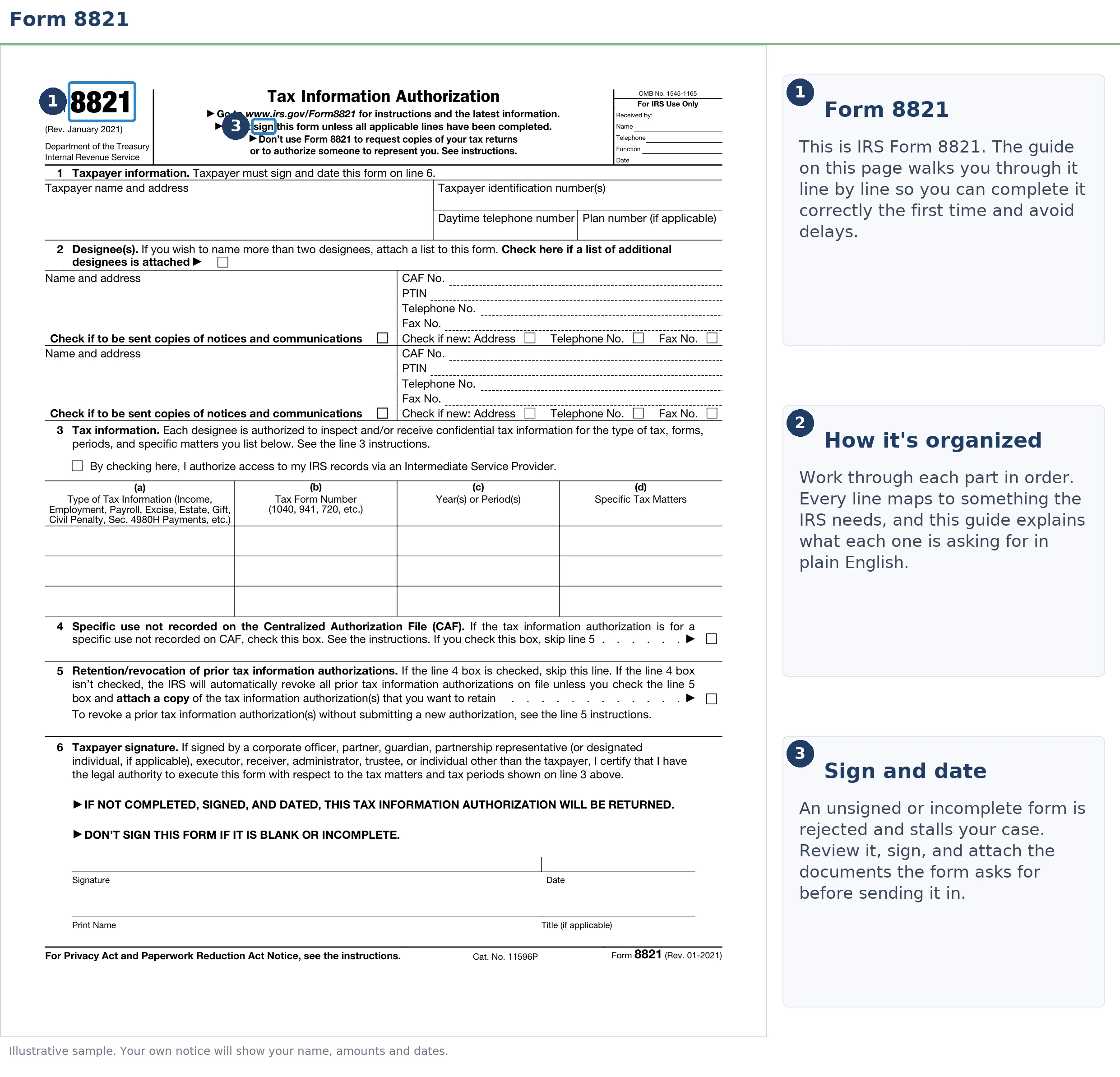
The image below shows exactly what Form 8821 looks like and where the entries that cause most rejections live — worth a glance before you start filling anything in.
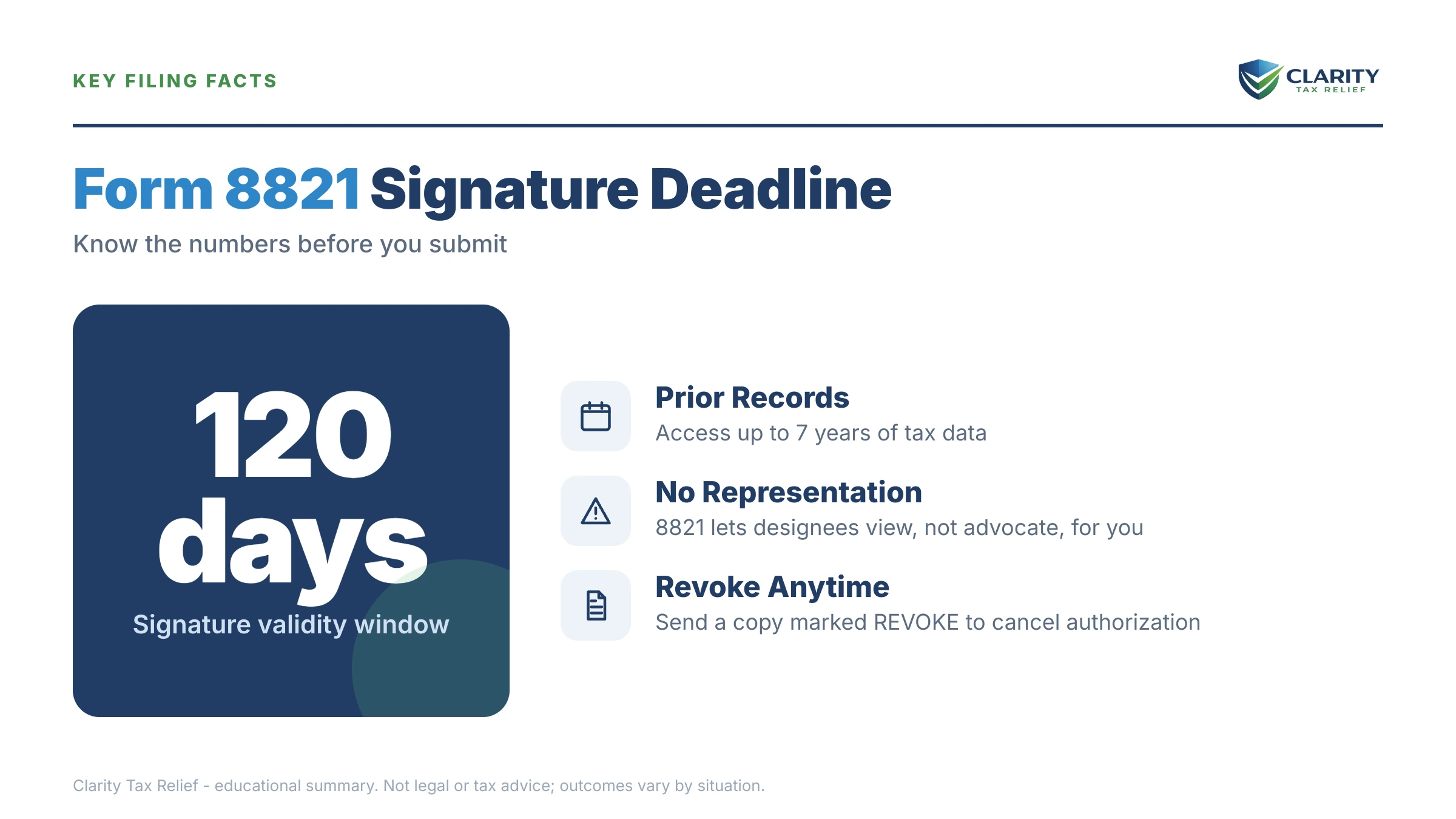
⏱ The one hard clock: the IRS must receive Form 8821 within 120 days of your signature date when it authorizes disclosure for a non-tax purpose, such as lender income verification. Tax-matter authorizations have no receipt deadline, but if a balance sits behind your request, penalties and interest keep accruing monthly while the paperwork moves.
Why you'd file Form 8821, and the one thing it can't do
Form 8821 authorizes a designee to receive and inspect your confidential tax information under IRC §6103. It grants zero power to represent you before the IRS. Your designee can see everything: account transcripts, balances by year, penalty and interest breakdowns, payment history, and copies of the notices the IRS sends you. What they cannot do is speak for you, negotiate, or sign anything.
That narrow scope is exactly why the form is useful. Unlike a power of attorney, a Form 8821 designee can be anyone — a tax professional, a mortgage lender, a company that monitors your account for new notices, even a family member with no credentials at all. Common uses:
- Investigating a tax debt. Before anyone can fix a balance, they need to see how it's built — which years, how much is penalty versus tax, and when each collection clock started. An 8821 is the fastest legal way to hand that visibility to a professional.
- After a divorce. Joint-year balances follow both spouses. The IRS won't take your decree's word for who pays — that's a separate fight covered in divorce and IRS debt: who pays. An 8821 lets your own advisor see the joint years without involving your ex.
- Loan underwriting. Lenders file 8821s to verify income directly with the IRS.
- Notice monitoring. Check one box and your designee gets copies of IRS letters as they're issued — no more finding out about problems months late because mail went to an old address.
If what triggered all this is a letter you don't fully understand, start with our decoder on why did I get a letter from the IRS, then come back here for the authorization that lets someone qualified see what's behind it.
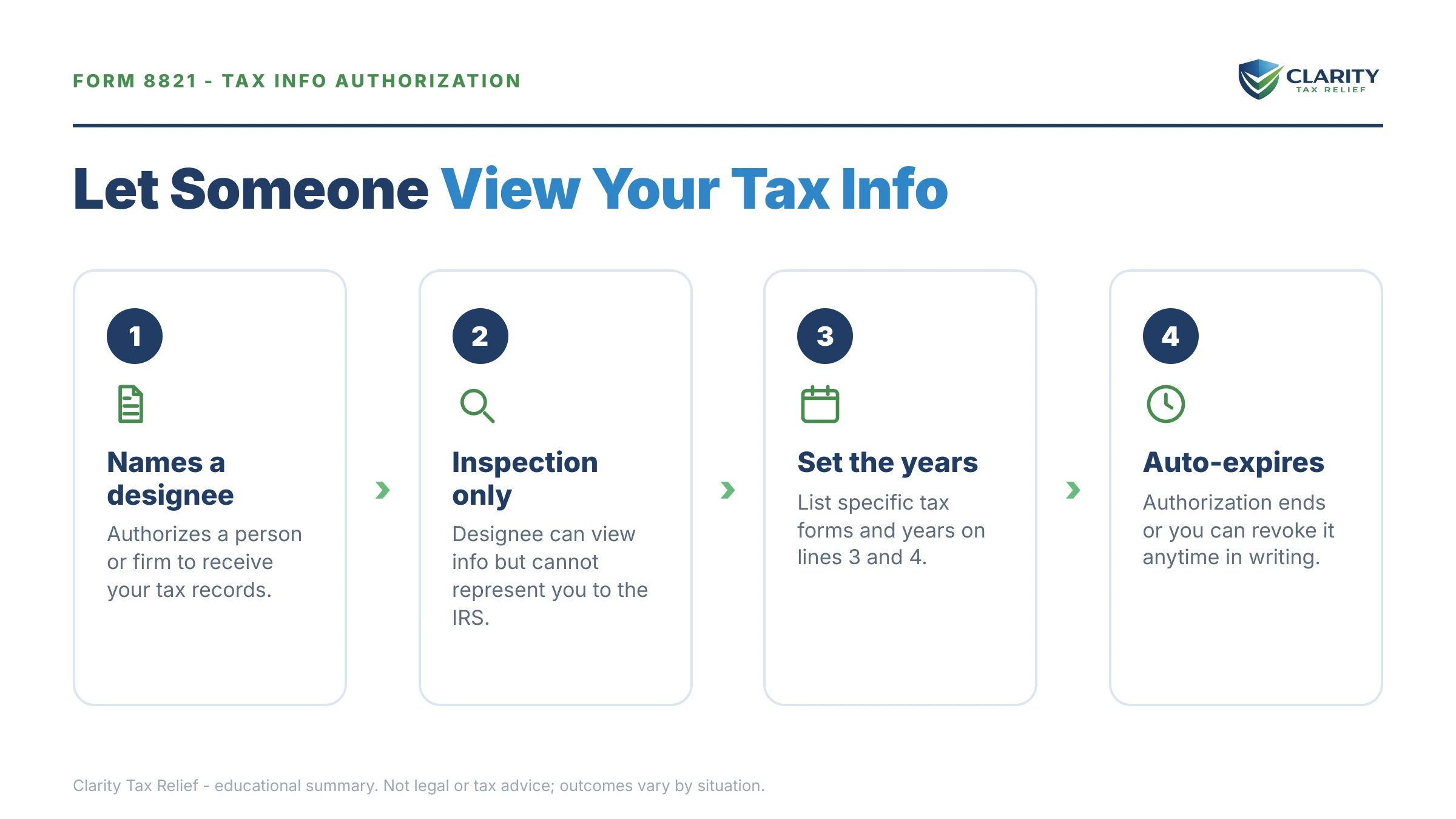
“Authorize any individual, corporation, firm, organization, or partnership you designate to inspect and/or receive your confidential information verbally or in writing for the type of tax and the years or periods listed on the form.”
— About Form 8821, Tax Information Authorization (IRS.gov)
Form 8821 instructions, line by line
The current Form 8821 has six numbered sections, and rejections almost always trace to lines 2, 3, or 6. Here's what goes in each, and the entry that gets forms kicked back:
| Line | What to enter | The mistake that gets it rejected |
|---|---|---|
| 1 — Taxpayer information | Your legal name, current address, Social Security number (or EIN for a business), and daytime phone | A post-divorce name change the IRS doesn't have yet — use the name on your last filed return |
| 2 — Designee(s) | Designee's name, address, CAF number (or NONE for a first-timer), and the checkbox if they should receive copies of notices | Skipping the CAF field entirely, or naming more than two designees to receive notice copies |
| 3 — Tax information | Type of tax (income, civil penalty, etc.), form number (1040, 941…), and each specific year or period | Writing "all years" or "all periods" — the IRS requires specific periods |
| 4 — Specific use | Check only for one-off, non-tax uses (a loan application, a background check) not recorded on the CAF system | Checking it for a tax matter — your designee then never gets ongoing CAF access |
| 5 — Retention/revocation | Check the box and attach copies of any prior authorizations you want to keep in force | Leaving it blank and unknowingly wiping out an existing authorization for the same matters |
| 6 — Signature | Your signature, printed name, and the date | Unsigned or undated forms — the single most common rejection |
Three details deserve more than a table row. First, line 3: you can list future periods, but only ones ending no more than 3 years after the date the IRS receives the form — anything further out gets stripped. List each type of tax and form number on its own row, and use ranges like "2021 thru 2023" rather than open-ended language.
Second, joint returns. Each spouse, or ex-spouse — signs their own Form 8821. Your signature alone authorizes disclosure of the joint-year information you're entitled to. You never need your ex's cooperation to let a professional see the years you filed together.
Third, signatures. A handwritten signature works for any submission channel, but electronic signatures are accepted only when the form is uploaded through the IRS's online tool. Sign electronically and fax it, and it comes back.
What happens after you submit, and the mistakes that send you back to the start
A rejected Form 8821 is not corrected by the IRS — it's simply returned, and in 2026 that round trip can cost you weeks. The processing sequence is short but unforgiving of sloppy entries:
- You submit — online upload, fax, or mail. Online is fastest and the only channel accepting e-signatures.
- The CAF unit reviews it. Complete, signed, specific forms get recorded on the Centralized Authorization File. Anything vague, unsigned, stale, or on an outdated revision gets bounced.
- Your designee gains access — they can pull your transcripts, see balances by year, and (if you checked the box) start receiving copies of your notices.
- The authorization stays in effect — indefinitely, until you revoke it or replace it with a new 8821 covering the same matters. There is no automatic expiration for CAF-recorded authorizations.
The stakes of a bounce depend on why you filed. If a lender is waiting on income verification, a rejection can stall a closing. If a tax professional is waiting to diagnose a balance, every lost week is another month of failure-to-pay penalty (0.5% of the balance) and daily-compounding interest quietly added to what you owe. The IRS workforce shrank roughly 27% in 2025 and CAF processing slowed with it — the fix is precision on the first submission, not hoping a human expedites the second one.
Filing Form 8821 because there's a balance you can't see clearly?
That's exactly what our free case review does. An experienced tax professional will pull the complete IRS picture behind your account — every year, every penalty, every deadline — and map your real options. Interest and penalties accrue monthly while you guess; the review costs nothing.
Form 8821 vs. Form 2848: which authorization do you need?
Form 8821 grants visibility; Form 2848 grants a voice, and only Form 2848 lets someone act on your behalf with the IRS. Filing the wrong one is the most common authorization mistake we see: taxpayers hand a professional an 8821 and expect them to negotiate, or sign a full power of attorney when all a lender needed was disclosure.
| What you need done | Form 8821 | Form 2848 |
|---|---|---|
| View transcripts, balances, and account records | Yes | Yes |
| Receive copies of IRS notices | Yes | Yes |
| Speak to the IRS and advocate for you | No | Yes |
| Negotiate a payment plan, hardship status, or settlement | No | Yes |
| Sign agreements, waivers, and responses | No | Yes |
| Who can be named | Anyone — individuals or companies | Eligible representatives only (attorney, CPA, enrolled agent, and a few others) |
In practice, resolution work often uses both in sequence: an 8821 first, so a professional can diagnose the account, then a Form 2848 power of attorney once there's an actual case to argue. If your situation involves disputing responsibility for a joint-year debt, common after divorce, the representation form matters even more, because innocent spouse claims on Form 8857 involve back-and-forth the 8821 can't touch.
Form 8821 deadlines and timing rules
Form 8821 carries exactly one statutory-style deadline, the 120-day receipt rule for non-tax uses, but several other clocks decide whether your authorization works when you need it:
| Timing rule | The clock | If you miss it |
|---|---|---|
| Non-tax-purpose 8821 (line 4 checked) | IRS must receive it within 120 days of your signature date | The form is invalid — sign and date a fresh one |
| Standard tax-matter 8821 | No receipt deadline | Nothing — but any balance behind it keeps accruing penalties and interest monthly |
| Future periods on line 3 | Must end no more than 3 years after the IRS receives the form | Later periods aren't recorded; you'll file again when they arrive |
| Duration once recorded on the CAF | Until revoked or replaced — no automatic expiration | Forgotten designees keep access for years; audit your authorizations |
| New 8821 for the same tax matters | Revokes the prior authorization immediately on processing | Check the line 5 box and attach copies to keep an old one alive |
How to fill out and submit Form 8821, step by step
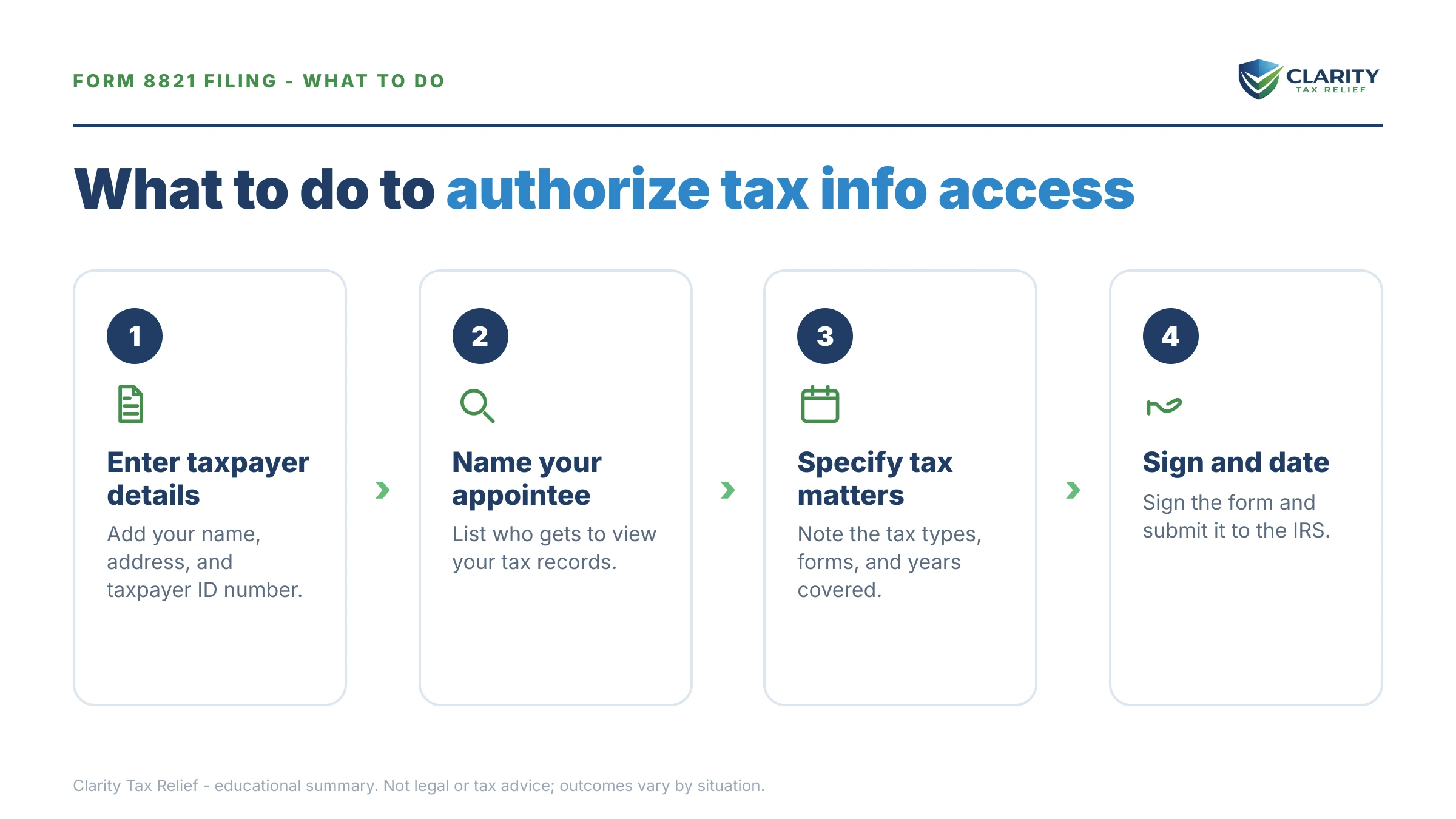
Start to finish, a clean Form 8821 takes about ten minutes:
- Download the current Form 8821. Get the latest revision from IRS.gov — outdated versions of the form get rejected.
- Complete line 1 with your taxpayer information. Enter your legal name, current address, and Social Security number exactly as they appear in IRS records.
- Name your designee on line 2. List their name, address, and CAF number (a first-time designee writes NONE), and check the box if they should receive copies of IRS notices.
- Specify tax types, forms, and years on line 3. List each type of tax, form number, and specific year or period — blanket entries like 'all years' get the form rejected.
- Decide line 5, then sign and date line 6. Check the line 5 box and attach copies if prior authorizations should stay in force, then sign and date line 6 — an unsigned or undated form is the top rejection reason.
- Submit online, by fax, or by mail. Upload it through the IRS online submission tool for the fastest processing. It is also the only channel that accepts electronic signatures.
The official form and instructions live at the IRS's About Form 8821 page. The upload channel is the IRS's Submit Forms 2848 and 8821 Online tool. Fax and mail destinations depend on your state — they're printed in the form's official instructions, so confirm there rather than reusing an old number.
A worked example: $68,500 in joint-year debt after a divorce
Say your divorce left you facing $68,500 in IRS balances across tax years 2021–2023, all joint years. You genuinely don't know how the number got there. You sign a Form 8821 naming a tax professional, who pulls account transcripts for all three years (here's how to read an IRS account transcript if you want to follow along). The transcripts show:
- Tax: $51,300 + penalties: $10,400 + interest: $6,800 = $68,500
- A $4,000 payment your ex swears was made, and it was, but it never posted. Proof of payment gets it credited, dropping the balance to $64,500.
- That correction matters twice: $64,500 sits below the $66,000 passport certification threshold for 2026, so the debt no longer qualifies as "seriously delinquent" for passport revocation.
- It's still above $50,000, so the streamlined 72-month online payment plan isn't available yet. Paying it down by $14,500 — to $50,000 — unlocks it at roughly $695/month ($50,000 ÷ 72), with interest and penalties continuing to accrue on the declining balance. Otherwise the account needs financial disclosure on Form 433-F — see what changes with an IRS payment plan over $50,000.
- The 2022 deficiency traces entirely to your ex's unreported income — which opens an innocent spouse path worth evaluating before agreeing to pay anything.
- The $10,400 in penalties is a target of its own. You can estimate how much of a balance like this is penalty and interest with our Penalty & Interest Calculator.
This is a hypothetical. But the pattern is real: none of those moves — the credit correction, the passport math, the plan threshold, the innocent spouse angle — is visible without the transcripts. The transcripts aren't available to your helper without the authorization. The $68,500 question wasn't "how do I pay this," it was "what is this," and Form 8821 is the ten-minute form that answers it.
When you can handle Form 8821 yourself
Form 8821 is free to file — no IRS fee, no processing charge — and most people can complete it without help. If you're authorizing a lender, adding a notice-monitoring service, or naming a tax professional who told you exactly what to write on line 3, do it yourself and keep your money. And if the only goal is seeing your own records, skip the form entirely: your own transcripts are free through your IRS online account — here's how to get IRS transcripts online.
Where experienced help changes the outcome isn't the form — it's what happens with the information it unlocks. A five-figure balance spread across multiple joint years, a divorce where liability may be splittable, a levy or lien already in motion, or a choice between disclosure (8821) and full representation (2848): those are judgment calls where the order you fix things in changes what you ultimately pay. The form is easy; the strategy behind it is where mistakes get expensive.
Terms on Form 8821, decoded
- Designee — the person or company you authorize to receive your tax information; anyone qualifies, no credential required.
- CAF number — the ID the IRS's Centralized Authorization File assigns a designee to track every active authorization tied to them.
- Tax information authorization — the official name for what Form 8821 creates: permission to disclose, not permission to represent.
- Specific use — a one-off, non-tax authorization (like a loan application) that isn't recorded on the CAF system.
- Transcript — the IRS's line-item record of your account: balances, penalties, payments, and the assessment dates that start each year's 10-year collection clock.
- Revocation — the written act of ending an authorization; a new 8821 for the same matters revokes the old one by default.
Form 8821 questions, answered
What is IRS Form 8821?
Form 8821, Tax Information Authorization, lets any person or company you name receive and inspect your confidential IRS records — transcripts, balances, and notices — but gives them no power to represent you. Complete line 1 (your information), line 2 (your designee), line 3 (exact tax types and years), then sign and date line 6.
Is Form 8821 the same as a power of attorney?
No. Form 8821 is a tax information authorization. It lets your designee receive and inspect your IRS records, and nothing more. A power of attorney (Form 2848) goes further: it lets a credentialed representative speak to the IRS, negotiate agreements, and sign documents on your behalf. If you need someone to argue your case, Form 8821 is the wrong form.
How long does the IRS take to process Form 8821?
It varies, but authorizations submitted through the IRS online upload tool are generally recorded on the CAF system within a few weeks, while faxed and mailed forms often take longer. IRS staffing fell roughly 27% in 2025, which has slowed CAF processing, so submit online when possible and confirm your designee has access before any date that depends on it.
Does Form 8821 expire?
A standard Form 8821 recorded on the CAF system stays in effect until you revoke it or file a new authorization covering the same tax matters. There is one hard clock: when the form authorizes disclosure for a non-tax purpose, such as lender income verification, the IRS must receive it within 120 days of your signature date or it is invalid.
Can I submit Form 8821 online?
Yes. The IRS accepts Form 8821 through its online submission tool for Forms 2848 and 8821, which is also the only channel that accepts electronic signatures. You verify your identity, then upload the completed, signed form. Fax and mail remain available, but both require a handwritten signature and typically take longer to reach the CAF system.
Can my ex-spouse see my tax information with Form 8821?
Only for the returns you filed jointly. Either spouse on a joint return can independently authorize disclosure of that joint year's information, so your ex can name a designee for your married-filing-jointly years without your signature. You can do the same. Your separately filed returns, before or after the divorce, are disclosed only with your own signature.
How do I revoke Form 8821?
Send the IRS a copy of the authorization with the word REVOKE written across the top of page 1, with your signature and the current date below it. No copy? Send a signed statement naming the designee and the tax matters you are revoking. Filing a new Form 8821 for the same tax matters also revokes the old one automatically unless you check the line 5 retention box and attach copies.
Can someone set up an IRS payment plan for me with Form 8821?
No. A Form 8821 designee can see your balances, transcripts, and notices, but cannot negotiate, agree to, or sign anything — including an installment agreement. To have someone arrange a payment plan on your behalf, they need Form 2848 and must be an eligible representative, such as an attorney, CPA, or enrolled agent. You can still use what your designee finds to set up your own plan online.
Why does my mortgage lender want a Form 8821?
Lenders use Form 8821 to verify your income directly with the IRS during underwriting, sometimes on an ongoing basis. These are specific-use authorizations, you check the box on line 4. They are not recorded on the CAF system, so they will not disturb other authorizations you have in place. The 120-day rule applies: the IRS must receive a non-tax-purpose Form 8821 within 120 days of your signature.
Your next 24 hours
- Find the exact years and tax types you need covered. Pull your last filed return and every IRS notice you've received — line 3 must list each type of tax, form number, and period specifically, so gather them before you touch the form.
- Gather your designee's details. Full legal name, current address, and CAF number if they have one. A first-time designee writes NONE and the IRS assigns one during processing.
- Get the balance behind the paperwork reviewed free. If you're filing Form 8821 because there's IRS debt you can't see clearly — joint years from a marriage, a number that keeps growing, notices you never received — an experienced tax professional can pull the complete picture and map your options while interest is still accruing monthly. Call (888) 825-7779 or use the 2-minute form. If the review shows a balance you'll pay directly, payment options live at IRS.gov/payments.
This guide is general information, not tax or legal advice for your specific situation. Eligibility for IRS programs depends on individual facts and circumstances; no outcome is guaranteed.